How Can a Woman Use Social Media Without Revealing Her Location?
Quick Answer
A woman can use social media without revealing her location by turning off public location sharing, avoiding real-time posts, removing location details from photos, and limiting who sees her content. While traveling alone, the safest habit is to share photos after leaving a place. Apple’s photo location privacy guidance also explains how to prevent pictures from exposing GPS information.
Six Ways to Protect Your Location
- Disable location sharing: Check social media map features, app permissions, and live-location settings.
- Post after leaving: Delay photos and stories until you have moved to another location.
- Remove photo metadata: Prevent GPS coordinates from being included when sharing original images.
- Avoid location clues: Hide hotel names, room numbers, street signs, and recognizable nearby landmarks.
- Limit your audience: Use private accounts, review followers, and restrict story visibility.
- Share privately: Send your exact itinerary only to trusted contacts who need it.
Important Safety Reminder
- Privacy is layered: No single setting guarantees anonymity, so review what your photos, captions, followers, and connected apps reveal together.
Social media makes solo travel more exciting, but it can also reveal where you’re staying or exploring. Learning how a woman can use social media without revealing her location helps protect your independence without giving up online connection.
I’ve learned to think carefully about what a travel photo says beyond its caption. This guide explains practical ways to protect your whereabouts while still enjoying Instagram, Facebook, TikTok, and other platforms.
In This Guide
- Why Does Location Privacy Matter for Women Traveling Alone?
- How Can You Stop Social Media From Sharing Your Location?
- How Can You Post Travel Photos Without Revealing Where You Are?
- Which Social Media Privacy Settings Should You Change?
- What Is a Safe Social Media Routine for Solo Female Travelers?
- What Should You Do If You Accidentally Reveal Your Location?
- Frequently Asked Questions
Why Does Location Privacy Matter for Women Traveling Alone?
Location privacy matters because public posts can reveal your routines, accommodation, or immediate whereabouts. For a solo female traveler, keeping that information private adds a useful layer of personal security.
Social media location privacy means controlling who can discover where you are through posts, metadata, map features, and account activity. It doesn’t require disappearing from social media.
Real-Time Posts Can Reveal Your Movements
Imagine sharing a café story while sitting alone with your laptop. The location sticker, visible street signs, and posting time might identify your exact café.
That doesn’t mean someone will misuse the information. It means a stranger could know more about your movements than you intended.
I prefer sharing the coffee photo later, when I’m already exploring somewhere else. The memory stays the same, but the immediate location clue disappears.
Your Accommodation Deserves Extra Privacy
Your hotel or hostel is more sensitive than a tourist attraction. It’s where you sleep, return each evening, and keep personal belongings.
Even without a location tag, small details can identify accommodation:
- Hotel signs, branded pillows, or distinctive lobby decorations.
- Room numbers, electronic keycards, and reservation paperwork.
- Views showing a recognizable neighboring building.
- Repeated posts from the same breakfast area or rooftop.
- Captions mentioning the neighborhood and length of your stay.
When I think about sharing accommodation photos, I ask whether someone could identify the property from the background. If the answer is yes, I save that post for after checkout.
Privacy Protects Your Freedom to Explore
Keeping your location private doesn’t mean assuming everyone is dangerous. It’s about choosing what information strangers can access.
You can still share beautiful landscapes, restaurant discoveries, and travel lessons. The difference is that you control when and how those details become public.
Section Takeaway: Share your experiences without broadcasting your current position or where you’ll sleep tonight.
How Can You Stop Social Media From Sharing Your Location?
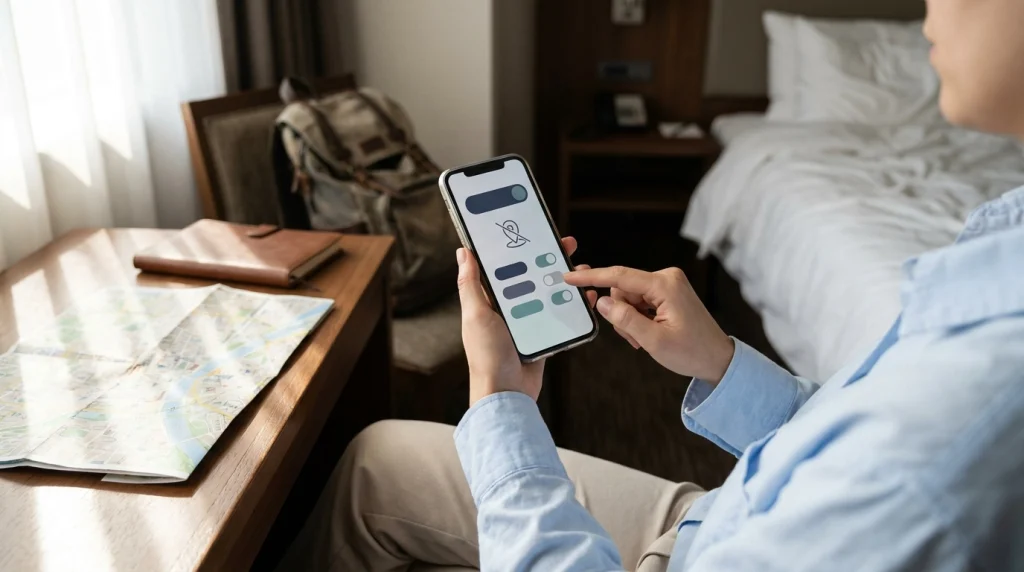
Start by reviewing your phone’s location permissions and each platform’s location-sharing features. These are separate controls, and changing one doesn’t necessarily disable the other.
Step 1: Review Location Permissions on Your Phone
Your phone controls which apps can request location information. You can restrict social media apps without disabling useful navigation tools.
On an iPhone:
- Open Settings.
- Select Privacy & Security.
- Choose Location Services.
- Find each social media app.
- Select Never when you don’t need the app to access your location.
- Review Precise Location where that option appears.
On Android, the wording varies by manufacturer and software version. Usually, you’ll find app location controls under Settings, Location, or Permissions.
- Open your phone’s Settings.
- Find Location or Permission Manager.
- Choose the relevant social media app.
- Set location access to Don’t allow if the app doesn’t need it.
- Review precise and approximate location access where available.
Disabling app location permission helps restrict GPS access. It doesn’t prevent every possible location inference from your photos, connections, or online activity.
Step 2: Check Instagram’s Map and Location Features
Instagram has location features beyond ordinary photo tags. Its Map feature allows users to choose whether to share their last active location with selected friends.
According to Meta’s explanation of Instagram location sharing, sharing is opt-in, and users can change their selection.
Before traveling, follow this checklist:
- Open Instagram and check the Map feature, if available in your region.
- Confirm your location-sharing audience is set to no one.
- Review Close Friends and selected-friends permissions.
- Avoid adding live location stickers to stories.
- Check existing location-tagged posts and highlights.
Remember that a location-tagged post may still appear in location-related discovery features. Not sharing your live map position doesn’t make every post private.
Step 3: Review Other Social Platforms
Facebook, TikTok, Snapchat, and messaging apps use different location settings. Check each platform separately instead of assuming your phone permissions cover everything.
| Platform | Location Risk to Review | Safer Habit |
|---|---|---|
| Map sharing, geotags, stories | Disable map sharing and delay location-tagged content | |
| Check-ins, tagged posts, public audience | Restrict audiences and review tags | |
| TikTok | Location tags, recognizable backgrounds | Post later and remove identifying clues |
| Snapchat | Snap Map and location sharing | Review Ghost Mode and permitted recipients |
| Messaging Apps | Active live-location sessions | Share location only with trusted contacts when needed |
These are privacy controls to review, not guarantees of anonymity. App features and menu names can change after updates.
Pro tip: Check your settings again after installing major app updates, and consult each platform’s official privacy documentation for current controls.
How Can You Post Travel Photos Without Revealing Where You Are?
The easiest approach is to post after leaving a location and check images for identifying details. Photo privacy requires looking beyond location tags.
Use Delayed Posting Instead of Live Updates
Delayed posting means publishing travel content after you’ve left the place shown. It reduces the chance that a public post reveals your current position.
Here’s an example of how I would organize a day of solo sightseeing:
- 9:00 a.m.: Photograph breakfast without posting the café name.
- 11:30 a.m.: Take pictures while visiting a museum.
- 3:00 p.m.: Save a walking-tour video as a draft.
- 7:00 p.m.: Review photos and remove sensitive clues.
- The following day: Publish selected memories after leaving those locations.
This schedule is an example, not a rule. For hotel photos or repeated routines, waiting until after checkout or changing accommodations offers more protection.
Remove GPS Information From Photos
Many smartphones can save GPS coordinates inside images. This information is commonly called EXIF metadata, which stores technical details about a photo.
Some social media platforms strip location metadata from displayed uploads. However, you shouldn’t assume every platform, file transfer, or sharing method behaves the same way.
On an iPhone, you can prevent future camera photos from recording location through Settings > Privacy & Security > Location Services > Camera.
You can also review a photo’s information and remove its saved location. When using the Apple Photos sharing screen, check Options and disable location sharing if offered.
Google Photos has separate controls for location information, shared albums, and partner sharing. Review Google Photos location privacy settings before sending original files or creating shared collections.
Keep in mind that removing an estimated location inside Google Photos isn’t necessarily the same as removing GPS metadata saved by your camera.
Look for Hidden Location Clues
Even a photo without GPS information can reveal a place. People may recognize signs, building layouts, or landmarks.
Before publishing, inspect your image for:
- Street signs, store names, and transit station signs.
- Hotel branding, room numbers, and reservation details.
- License plates and identifiable vehicle information.
- Distinctive views from a hotel window or balcony.
- Event passes, tickets, receipts, and QR codes.
- Mirrors or glass reflections showing your surroundings.
Cropping an image can help, but it may not remove every clue. Always inspect the finished photo before uploading it.
Write Captions That Describe Experiences, Not Coordinates
Captions can expose your location even when your photos don’t. The words “here right now” become more revealing when paired with a recognizable background.
Compare these examples:
| Less Private Caption | More Private Alternative |
|---|---|
| “Staying at this hotel for the next four nights!” | “A cozy little corner from my recent trip.” |
| “Having coffee here alone right now.” | “One of my favorite coffee moments from the trip.” |
| “Heading back to my hostel on this street.” | “I loved exploring these colorful streets.” |
These alternatives work best when they’re true. You don’t need to invent a different location or misrepresent your trip to maintain privacy.
Section Takeaway: Publish memories, not live itineraries. Delay uploads, inspect photos, and avoid captions that identify your current accommodation or plans.
Which Social Media Privacy Settings Should You Change?
Private accounts, limited story audiences, and tag approval help reduce who can see your location clues. They work best when combined with careful posting habits.
Make Personal Accounts Private
A private account lets you approve who can follow and view restricted content. It provides more control than a fully public profile.
However, followers can still save, screenshot, or share what they see. Only approve people you’re comfortable giving access to your travel updates.
Consider these changes:
- Switch personal profiles to private where the platform allows it.
- Review existing followers and remove unfamiliar accounts.
- Limit who can view stories and personal updates.
- Restrict who can mention, tag, or message you.
- Enable manual approval for tagged content when available.
Separate Public Travel Content From Personal Updates
Travel blogging sometimes requires a public account. You can maintain that presence without publishing personal movements in real time.
A useful approach is separating your content into two audiences:
- Public audience: Finished travel guides, general recommendations, edited photography, and delayed trip recaps.
- Trusted contacts: Current accommodation, transport plans, safety check-ins, and sensitive itinerary details.
For example, you might publish a guide to visiting Lisbon without mentioning the apartment you’re using that week.
This distinction helps preserve both creative freedom and personal boundaries.
Watch What Friends Reveal About You
Your privacy doesn’t depend entirely on your own posts. A friend might tag your hotel, photograph your room number, or upload a live group selfie.
Before traveling with friends or meeting new people, set a simple boundary. Ask them not to tag your live location or identify your accommodation.
You can use a short message like this:
“I’m keeping my travel location private while I’m here. Please don’t tag me in real-time posts or mention where I’m staying.”
Most reasonable travel companions can respect that request. If someone repeatedly ignores it, avoid giving them more details about your movements.
What Is a Safe Social Media Routine for Solo Female Travelers?
A good routine combines account checks, delayed posting, and private safety communication. It should be simple enough to follow throughout your trip.
Before Your Trip
Prepare your accounts while you’re still at home. That way, you won’t need to troubleshoot privacy settings in an unfamiliar place.
- Review location permissions for every social media app.
- Disable public or unnecessary map-based location sharing.
- Enable two-factor authentication to protect your accounts.
- Check old posts for sensitive personal details.
- Review followers and story audience lists.
- Agree on a private check-in routine with a trusted contact.
Two-factor authentication adds another verification step when signing in. It helps protect your account, but doesn’t directly hide your location.
During Your Trip
Keep the process short and repeatable. I recommend a quick review before every upload instead of trying to remember dozens of rules.
- Ask whether the image shows your current location.
- Inspect the background for identifying clues.
- Check the caption, tags, and intended audience.
- Save the post as a draft if you’re still nearby.
- Publish only when you’re comfortable with the information it reveals.
Don’t let social media replace private safety check-ins. A trusted person should still know how to reach you when needed.
You can share exact accommodation and transport information privately with a trusted contact. Recheck who has access to any live-location link and stop sharing when it’s no longer needed.
After Your Trip
Once you’re home, you have more flexibility to share destination recommendations. Still, avoid exposing sensitive details that could affect other people.
Review saved drafts and consider publishing:
- Restaurant reviews and favorite meals.
- Museum recommendations and sightseeing tips.
- Destination guides and practical travel advice.
- Honest reflections on traveling independently.
- Accommodation reviews without revealing room-access information.
If you return to the same location regularly, be careful about showing predictable routines. Delayed posting is useful, but repeated patterns can still reveal your habits.
Section Takeaway: Prepare your settings before departure, review posts during the trip, and share detailed memories after leaving sensitive locations.
What Should You Do If You Accidentally Reveal Your Location?
If you accidentally share your location, remove the exposure and assess whether anyone could use it to find you. Your response should depend on the type of information shared and whether there’s a credible threat.
If You Publish a Live Location by Mistake
- Remove the post, story, or location tag where possible.
- Turn off any active public location-sharing feature.
- Check whether connected accounts also published the information.
- Ask friends not to reshare the original post.
- Review your account audience and recent interactions.
Deleting a post cannot guarantee that nobody saved or screenshotted it. Avoid publicly announcing additional details about where you’re going next.
If Your Hotel or Hostel Becomes Identifiable
Assess whether the information merely identifies the property or suggests a real safety risk. If you’re concerned, speak privately with accommodation staff about your options.
For a credible threat, ask about practical security measures or changing rooms. Consider different accommodation if needed and feasible.
Don’t share a public update explaining where you’ve moved. Tell your trusted contact privately instead.
If Someone Is Tracking or Harassing You
Unwanted messages, repeated references to your whereabouts, or threats deserve attention. You don’t need to continue communicating with someone who makes you feel unsafe.
- Preserve screenshots, usernames, timestamps, and relevant messages.
- Use the platform’s reporting and blocking tools.
- Inform someone you trust about the situation.
- Contact accommodation security or local authorities if appropriate.
- Seek immediate assistance if someone threatens or follows you.
If you believe you’re in immediate danger, contact local emergency services or move to a staffed, secure location.
Pro tip: Before traveling internationally, review the U.S. Department of State travel advisories or your own government’s travel guidance for local emergency information.
For more detailed device and account safety guidance, Apple’s Personal Safety User Guide explains ways to review access to personal information and location-sharing features.
Frequently Asked Questions
Can someone find my location through Instagram if I don’t use location tags?
Potentially, yes. Even without location tags, recognizable landmarks, captions, map-sharing settings, and repeated posting patterns may reveal where you are. Keep live location sharing disabled, review your audience, and avoid publishing pictures that identify your current accommodation.
Does turning off GPS completely hide my location on social media?
No. Turning off GPS or denying an app location permission limits certain forms of location access. Platforms may still infer a general area through network information, account activity, or content you publish. Your photos and captions can also reveal places.
Is it safe to post travel photos after 24 hours?
Waiting 24 hours can reduce real-time exposure, but it’s not a universal safety guarantee. If you’re still staying at the same hotel or visiting the same places daily, the post may remain sensitive. Consider waiting until you’ve checked out or changed locations.
Can photo metadata reveal my exact location?
Yes, if a photo contains GPS coordinates and the sharing method preserves them. Some social platforms remove metadata from displayed images, while original file sharing may retain it. Check metadata before sending photos, especially through file transfers or shared albums.
Should a solo female traveler keep her social media private?
A private personal account is a sensible choice because it restricts who can view your content. Public travel creators can still reduce exposure by delaying posts, concealing accommodation details, and keeping current plans separate from their public content.
Can a VPN hide my location on Instagram or TikTok?
A virtual private network, or VPN, can mask your public IP address from some services. However, it doesn’t remove GPS permissions, location tags, recognizable landmarks, or information you voluntarily share. A VPN alone isn’t a complete social media location privacy solution.
How can I keep my family updated without sharing my location publicly?
Use private messages, phone calls, or a carefully controlled location-sharing feature with trusted contacts. Agree on regular check-in times and share important itinerary details privately. Review recipient permissions and avoid placing sensitive information in public stories or group posts.
Final Thoughts: Share the Journey, Keep Your Location Private
Traveling alone doesn’t mean you have to stop sharing your adventures. It means choosing which moments belong online and which details should remain private.
My preferred approach is simple: turn off unnecessary location sharing, post after leaving, and protect accommodation details. Those habits allow me to enjoy social media without making my daily movements public.
Before your next solo trip, spend a few minutes reviewing your privacy settings and existing posts. Small changes now can give you more control over what strangers learn about your travels.
What’s your biggest concern about sharing solo travel photos online? Use that question to create a privacy routine that suits your trip and comfort level.