How Can a Solo Female Traveler Verify a Rideshare Driver?
Quick Answer
A solo female traveler can verify a rideshare driver by matching the license plate, vehicle make and model, and driver photograph against the booking app before entering. Ask the driver to identify the passenger they’re collecting, rather than offering your name first. Where available, enable a ride-verification PIN and share your trip with someone you trust. Follow the official Uber rider safety guidance for additional protection.
Your five-point verification checklist
- License plate: Compare every character with the number displayed in your app.
- Vehicle details: Check the make, model, and color where shown.
- Driver identity: Compare the person behind the wheel with the profile photograph.
- Passenger confirmation: Ask who the driver is picking up before sharing your name.
- Safety features: Use the app’s PIN, ride-sharing, and emergency tools when available.
Important: If any key detail doesn’t match, don’t enter the vehicle. Move somewhere safe and arrange another ride.
Booking a rideshare alone can feel simple until an unfamiliar car stops beside you. Knowing exactly how to verify a rideshare driver makes that moment easier to manage.
I believe a short, consistent safety routine is more useful than trying to judge a stranger’s personality. This guide explains what to check, which warning signs matter, and how to respond when something feels wrong.
In This Guide
- How Do You Verify a Rideshare Driver Before Entering?
- Which Rideshare Safety Features Should You Use?
- What Are the Warning Signs of an Unsafe Rideshare?
- How Can Women Verify Rideshares at Night or Airports?
- What Should You Do After Entering the Rideshare?
- What If the Driver or Vehicle Doesn’t Match?
- Frequently Asked Questions
How Do You Verify a Rideshare Driver Before Entering?
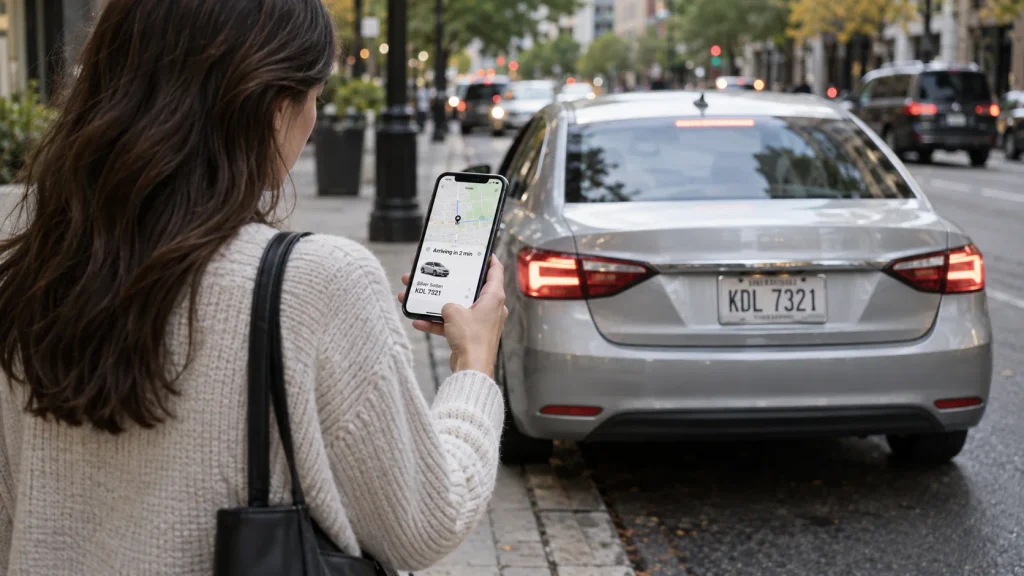
Verify your driver by checking three independent details: the vehicle’s license plate, its description, and the driver’s identity. Complete these checks while standing outside the car.
Rideshare driver verification means comparing the approaching driver and vehicle against the trip information supplied by your booking platform. It helps confirm that you’re entering the vehicle assigned to your reservation.
1. Match the license plate exactly
The license plate is one of the strongest practical checks because it identifies the registered vehicle. Open your active booking and locate the plate number before the car arrives.
- Compare every letter and number.
- Check the plate on the actual vehicle, not a sign in the window.
- Look again if another car blocks your view.
- Don’t accept an unexplained mismatch.
A driver may say they’re using a different car today. That explanation doesn’t establish that the vehicle is authorized for your booking.
If the plate differs, stay outside and contact the rideshare platform.
2. Confirm the vehicle make, model, and color
The app should give you enough vehicle information to recognize your assigned ride. Compare those details with the car that arrives.
For example, imagine the app shows a white Toyota Corolla, but a silver Honda stops beside you. Even if the driver knows your destination, don’t treat that vehicle as verified.
Some models look alike, especially in busy pickup areas. That’s why the plate number remains essential.
3. Compare the driver’s face with their photograph
Check the driver’s profile picture before opening the door. Look for recognizable facial features rather than relying on clothing or hairstyle.
Photographs can become outdated, and lighting can change appearances. Still, a clearly different person is a reason to stop verification.
If you cannot confidently establish who is driving, cancel or contact support from a safe location.
4. Ask the driver to identify the passenger
One useful question is: “Who are you here to pick up?”
It lets the driver provide the passenger name without you offering that information first. You can then confirm the driver’s name against your app.
Remember that names alone aren’t sufficient. Someone might learn your name from an overheard conversation or another source.
5. Complete the checks before opening the door
Don’t feel pressured to hurry because traffic is building behind the vehicle. A legitimate pickup should allow you a reasonable opportunity to confirm its details.
I recommend checking the booking while waiting indoors, then comparing the vehicle once it arrives. This limits the time you spend standing near the roadway with your phone exposed.
Section Takeaway: Confirm the car, driver, and booking independently. Never rely on a friendly greeting or a rideshare sticker alone.
Which Rideshare Safety Features Should You Use?
Use a ride-verification PIN, live trip sharing, and the platform’s emergency tools whenever they’re supported. These features add protection, but they don’t replace checking the vehicle.
How does Uber’s PIN verification work?
Uber offers an optional verification feature that uses a four-digit PIN. In supported versions of the app, you can enable it for every ride or nighttime trips.
The driver enters the PIN to begin the trip. This creates another check that your booking matches the driver.
- Open Uber’s settings.
- Find the trip-verification or PIN option.
- Enable verification for eligible rides.
- Confirm the vehicle and driver before giving the PIN.
- Don’t continue with an unverified trip if the PIN process fails.
Menu names and availability may vary by country and app version. Check the platform’s current instructions before traveling.
Can you share your rideshare trip with someone?
Yes. Major rideshare platforms offer trip-sharing tools that can let a trusted person follow your journey.
I prefer app-based trip sharing over sending a single screenshot. A screenshot captures one moment, while supported live-sharing tools provide ongoing trip information.
Tell your contact when you expect to arrive. Agree beforehand on what they should do if you ask for help or stop responding unexpectedly.
Uber vs. Lyft: Which verification tools are available?
Both platforms provide information to identify your assigned vehicle and driver. Some safety features and their availability differ by location.
| Safety feature | Uber | Lyft |
|---|---|---|
| Driver photo | Provided in app | Provided in app |
| License plate | Provided in app | Provided in app |
| Ride-verification PIN | Optional feature | Available in supported markets |
| Live trip sharing | Supported | Supported |
| Emergency assistance tools | Location-dependent | Location-dependent |
Lyft also describes ride monitoring and recording tools on its official safety page. Their features may depend on local availability and permissions.
For international travel, check which licensed rideshare services operate at your destination. Don’t assume that your preferred app offers identical protections everywhere.
Section Takeaway: Use technology to support your judgment, not replace it. Vehicle checks should happen before any PIN exchange or trip confirmation.
What Are the Warning Signs of an Unsafe Rideshare?
The most important warning signs are mismatched booking details, requests for off-app payment, and pressure to enter an unverified vehicle. These behaviors deserve immediate attention.
Does the driver want to bypass the app?
Be cautious when someone proposes canceling your booking and taking you privately for cash. You may lose the trip record and safety tools associated with your original reservation.
Common warning signs include:
- The driver insists that you cancel the booked journey.
- Someone approaches you offering an unofficial replacement ride.
- The driver requests payment outside the platform without a legitimate, clearly explained reason.
- The vehicle or driver differs from the booking information.
- The person refuses reasonable identity checks.
Airport arrivals and crowded event exits can be especially confusing. Follow the booking app’s pickup directions rather than accepting unsolicited offers.
What if the driver’s behavior makes you uncomfortable?
Uncomfortable behavior isn’t proof that someone intends harm. However, you don’t need proof of danger to decide against a ride.
A driver who becomes aggressive when you check the plate or photograph gives you a valid reason to leave. Move toward a staffed location instead of debating the situation beside the car.
Is a high driver rating enough?
No. Ratings provide limited information about previous passenger experiences, not a guarantee of identity or personal safety.
A driver with positive reviews still needs to match the booking details. Ratings should never override a clear plate or photo mismatch.
Section Takeaway: An unexplained mismatch is enough to refuse a ride. You don’t have to negotiate your personal safety.
How Can Women Verify Rideshares at Night or Airports?
At night or in busy transport hubs, choose a well-lit, authorized pickup location and complete your checks before approaching the vehicle. Avoid isolated pickup points when a safer alternative exists.
What should you do when traveling alone at night?
Nighttime can make it harder to read plates and compare photographs. Give yourself more time and use better lighting rather than skipping verification.
- Wait inside a hotel, restaurant, or staffed building when possible.
- Choose a pickup spot with clear lighting and pedestrian access.
- Keep your phone charged and your mobile data available.
- Check the driver’s details before walking outside.
- Share the trip with a trusted person.
- Use PIN verification where available.
I recommend saving the destination address before requesting a late-night pickup. That way, you aren’t searching through messages while monitoring the arriving vehicle.
A portable charger also helps. A working phone is essential when you’re relying on an app for booking, navigation, and communication.
How do you verify an airport rideshare driver?
Airports often have designated rideshare pickup zones. Follow official terminal signs and the instructions displayed in your booking app.
Don’t assume that anyone holding a phone, wearing a branded shirt, or calling your destination is your assigned driver.
- Confirm the correct terminal and pickup zone.
- Look for the vehicle shown in your booking.
- Read the license plate before loading luggage.
- Verify the driver’s identity before entering.
- Keep important documents and your phone with you.
If someone approaches and claims to be your driver, check the app first. Don’t follow them into another parking area without confirming the booking.
What about countries where rideshare apps work differently?
Some destinations rely on regional transport platforms, licensed taxi systems, or airport-specific booking arrangements. Their identification tools may not match Uber or Lyft.
Before arrival, research the local transport authority and the airport’s official pickup policy. Save the relevant information for offline access.
Pro tip: Review the destination’s current advice through the U.S. Department of State or your own government’s travel advisory service.
Section Takeaway: Plan the pickup before you arrive, especially after dark. Use official collection areas and never let crowd pressure rush your verification.
What Should You Do After Entering the Rideshare?
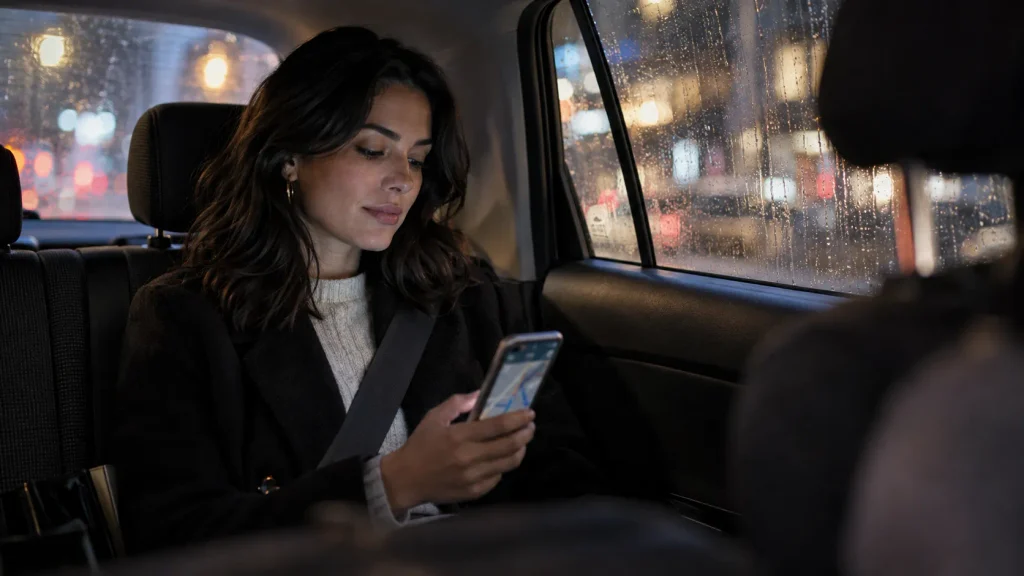
After entering a verified vehicle, fasten your seat belt, confirm that the correct trip has started, and follow your route. Stay aware without feeling that you must constantly monitor the driver.
Check that your trip starts correctly
Once you’re seated, confirm that the journey appears active in your app. Look at the destination and estimated arrival information.
If the driver says the app isn’t working, ask them to resolve the issue before proceeding. Don’t agree to an unofficial replacement journey because you’ve already entered the car.
Should you monitor the route?
Following the route on your phone can help you recognize unexpected changes. However, traffic, road closures, and local driving rules sometimes require legitimate detours.
A different street isn’t automatically suspicious. An unexplained major diversion, especially with threatening behavior, deserves attention.
You can ask a simple question such as, “Are we taking a different route because of traffic?” Assess both the answer and the surrounding circumstances.
Where is the best place to sit?
Many solo passengers prefer the rear seat for additional personal space. Choose a position where you can access a seat belt and exit safely.
There’s no seat that guarantees protection in every situation. Vehicle design, traffic conditions, and the behavior of others all matter.
How can you protect personal information?
Friendly conversation is optional. You don’t need to reveal that you’re traveling alone or provide details about your accommodation.
Keep responses polite but brief if you’d rather not talk. You can also check that the drop-off address is correct without discussing why you’re visiting.
What if you feel unsafe during the journey?
Prioritize getting help without escalating a confrontation. Use the app’s safety tools if you can do so safely.
- Share your live location with someone you trust.
- Contact local emergency services if you face immediate danger.
- Ask to stop at a busy, safe public location if circumstances allow.
- Avoid attempting to exit a moving vehicle.
- Report the incident to the platform once you’re safe.
Some apps provide emergency assistance functions. Check how they work before traveling because service integration differs by location.
Section Takeaway: Verification continues after boarding. Make sure the booked journey starts correctly and know how to access help.
What If the Driver or Vehicle Doesn’t Match?
Don’t enter a rideshare when its driver, license plate, or key vehicle details don’t match your booking. Move away from the vehicle and resolve the discrepancy through the app.
What should you do immediately?
- Stay outside the vehicle.
- Move to a well-lit or staffed location.
- Check whether you’re viewing the active booking.
- Contact the driver through the app only if doing so feels safe.
- Cancel or report the ride using the appropriate platform options.
- Arrange another verified ride or use a licensed transport alternative.
A simple mistaken pickup is possible, particularly when several similar cars arrive together. Even so, you shouldn’t enter until you can positively identify your assigned vehicle.
What if you’ve already entered the wrong car?
If the vehicle is stationary and you can exit safely, leave and move toward a populated area. Don’t remain inside simply because the driver seems reassuring.
If the vehicle is moving, focus on seeking a safe opportunity for assistance. Contact emergency services if you’re being threatened, detained, or taken somewhere against your will.
Should you report suspicious drivers?
Yes. Reporting a credible safety concern helps the platform investigate the account and booking information.
Use the app’s safety or support section and provide accurate details:
- The date and approximate time.
- The pickup location.
- The booking reference, if available.
- The observed plate and vehicle description.
- A factual description of what happened.
For immediate danger, contact local emergency services first. Platform reporting is not a substitute for emergency assistance.
Section Takeaway: You can decline an unverified ride at any point before departure. Report serious concerns through the platform when you’re safe.
Frequently Asked Questions
Can a solo female traveler safely use Uber or Lyft?
Solo female travelers can reduce risks by verifying the driver, vehicle, and booking before every trip. Both platforms offer safety tools, but no transportation service guarantees complete safety. Choose legitimate pickup areas, share your journey when practical, and respond promptly to warning signs.
What should I ask a rideshare driver before getting in?
Ask, “Who are you here to pick up?” Then compare the answer with your booking. You can also confirm the driver’s displayed name. Always check the license plate, vehicle description, and driver photograph because a correct name alone doesn’t establish identity.
Can a fake rideshare driver know my name?
Yes, someone might learn your name through overheard conversations or other circumstances. That’s why passenger-name confirmation is only one part of verification. Never accept it as a replacement for matching the actual vehicle and driver against your booking app.
What if my rideshare driver’s photo doesn’t match?
Don’t enter if the person behind the wheel clearly differs from the app photograph. Move somewhere safe and contact platform support. An outdated photo is possible, but you shouldn’t ignore an identity mismatch based only on the driver’s explanation.
Should I share my live location when taking a rideshare alone?
Sharing your trip with a trusted person can provide another layer of awareness. Use the platform’s official sharing function where available. Agree on an arrival check-in and what your contact should do if you need assistance.
Is it safer to use rideshare PIN verification?
PIN verification adds a useful check that connects your trip with the matched driver. However, it doesn’t replace checking the plate, car, and driver’s face. Never enter an unverified vehicle simply because someone asks you for a PIN.
How do I verify a driver without internet access?
Reliable app-based verification requires access to current booking information. If your connection fails, wait somewhere safe until you can retrieve the details. Avoid accepting an unfamiliar vehicle without confirmation. At an airport, consider an official taxi desk or another licensed service.
Final Takeaway: Make Driver Verification a Habit
Verifying a rideshare driver should take only a short moment, but it’s one of the most useful safety habits for women traveling alone. Check the plate, vehicle, driver’s face, and passenger details before opening the door.
Use available PIN and trip-sharing tools, especially for late-night rides and unfamiliar destinations. If something doesn’t match, choose another ride rather than taking an avoidable risk.
My favorite travel safety routines are simple enough to repeat even when I’m tired or distracted. Make this checklist part of every pickup, wherever your next solo journey takes you.