How Can a Solo Female Traveler Plan Around Poor Phone Service?
Quick Answer
A solo female traveler can plan around poor phone service by making the essential parts of her trip work without mobile data. Before leaving reliable service, download maps, save accommodation and transport details, store emergency contacts, arrange a check-in plan, and review official communication guidance for international travelers.
Prepare in this order
- Download navigation: Save offline maps for your accommodation, arrival point, planned routes, and nearby essentials.
- Save key details: Keep tickets, addresses, booking references, and important instructions available offline.
- Create communication backups: Consider roaming, a local SIM, or an eSIM, while assuming all three could occasionally lose coverage.
- Set check-in expectations: Tell a trusted person when you expect to reconnect so a normal dead zone is not mistaken for an emergency.
- Protect your battery: Start remote or transport-heavy days with a charged phone and power bank.
- Keep a physical backup: Carry your accommodation address, emergency details, and a little cash somewhere separate from your phone.
Poor phone service can feel more stressful when you’re traveling alone because one device may handle your map, hotel address, translation, tickets, payments, and communication. The solution isn’t to avoid every destination with patchy coverage.
Instead, build a trip that still works when the signal disappears. My rule for solo travel planning is simple: anything I would urgently need after losing data should already be accessible offline.
In This Guide
- Why does poor phone service matter more when traveling solo?
- What should you download before losing signal?
- How can you build a backup communication plan?
- How should you plan routes, transport, and accommodation?
- What should you carry and do if service disappears?
- Frequently asked questions
- What is the simplest no-signal plan to remember?
Why Does Poor Phone Service Matter More When Traveling Solo?
Poor service matters because solo travelers have less immediate backup when an app stops working. There may be nobody beside you with a second phone, another carrier, or a saved copy of the hotel address.
That doesn’t mean a dead zone is automatically unsafe. It means your normal problem-solving tools can become temporarily unavailable.
Poor-service planning is the practice of keeping essential navigation, communication, transport, accommodation, payment, and emergency information usable when mobile data becomes slow or unavailable.
Think about what your phone normally does during one travel day. The list becomes long surprisingly fast.
- Navigation: Finding your hotel, station, trailhead, restaurant, or bus stop.
- Transport: Opening tickets, ordering rides, checking delays, or finding platforms.
- Communication: Messaging accommodation staff, family, guides, or drivers.
- Translation: Looking up words, signs, addresses, or instructions.
- Money: Using banking alerts, digital wallets, or payment verification.
- Emergencies: Finding medical facilities, insurance information, or official contacts.
The highest-risk moment is often not a dramatic emergency. It’s an ordinary transition when you’re tired and unsure where to go.
An airport arrival, rural bus connection, late ferry, mountain road, or walk from a station can become much harder when the expected data connection disappears.
Plan around failure points, not perfect coverage
I don’t think a solo traveler needs constant 5G to travel confidently. She needs to know what happens if a key tool fails.
- If maps fail, what offline map can you open?
- If a ride app fails, where is the official taxi stand?
- If messaging fails, does your accommodation know roughly when you will arrive?
- If your booking app fails, is the confirmation saved locally?
- If your battery dies, do you have power and a written address?
This approach also helps in destinations that usually have excellent coverage. Network outages, underground stations, mountains, ferries, rural roads, and thick-walled buildings can create temporary dead zones almost anywhere.
Pro tip: For international trips, check current official travel and communication guidance before departure rather than assuming mobile coverage or emergency procedures work the same way everywhere.
What Should You Download Before Losing Signal?
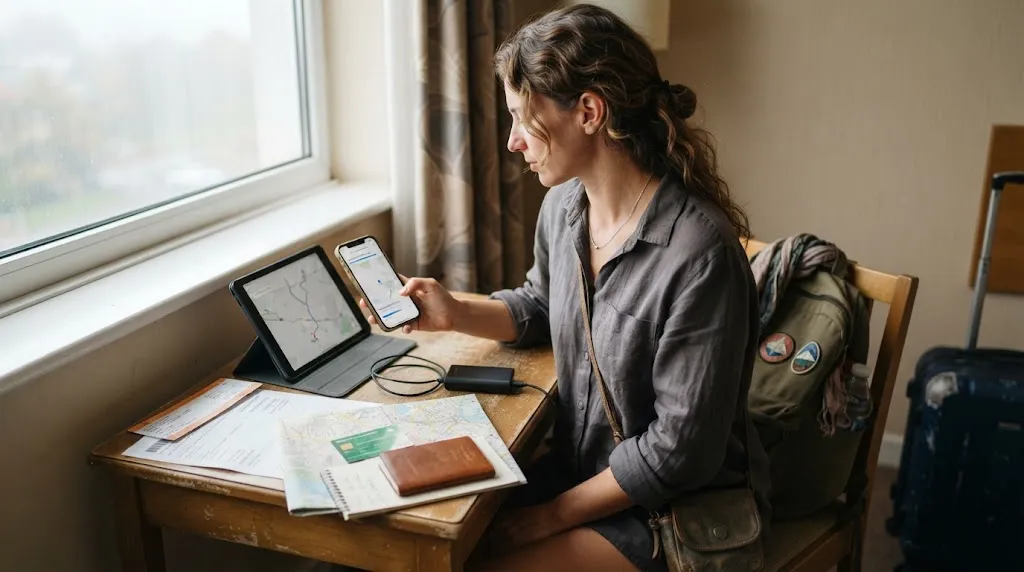
Download anything you would struggle to replace while standing in an unfamiliar place without data. Navigation comes first, followed by accommodation, transport, language, and emergency information.
Start with offline maps
Google Maps allows travelers to download selected areas before a trip. However, its offline functionality has important limits.
According to Google’s current guidance, offline maps can support driving routes when the entire route is inside the downloaded area. Walking, cycling, transit directions, live traffic, and alternate routes may not be available offline.
Review the current Google Maps offline instructions before relying on the feature.
Apple Maps also supports downloadable maps on compatible devices and in supported areas. Apple’s guidance says offline maps can provide turn-by-turn navigation for several travel modes in supported regions.
You can review the current Apple Maps offline-map guidance before departure.
| Backup method | Useful without mobile data? | Best use | Main limitation |
|---|---|---|---|
| Google Maps offline area | Yes | Saved map coverage and eligible driving navigation | Offline walking, cycling, transit, and live traffic are limited |
| Apple Maps offline map | Yes, in supported areas | Offline place information and supported navigation | Availability depends on device, software, and area |
| Screenshots | Yes | Tickets, addresses, pickup points, and platform notes | Static and cannot reroute you |
| Printed or handwritten details | Yes | Emergency contacts and accommodation address | Limited information and no live updates |
Save your first and last mile
Don’t download only a giant map of the city. Save the places where being disconnected would cause the most confusion.
- Your airport, station, port, or bus terminal.
- Your accommodation and its surrounding streets.
- The route between your arrival point and accommodation.
- The nearest useful pharmacy or medical facility you have verified.
- Planned meeting points, tour departure locations, or trailheads.
- Any rural or day-trip areas where coverage may be weaker.
Save information outside the apps that created it
A booking existing in your account doesn’t guarantee you can open it without data. Save the important details locally.
- Flight, train, bus, and ferry confirmations.
- Accommodation name, address, phone number, and check-in instructions.
- Tour vouchers and meeting-point instructions.
- Travel insurance policy and assistance details.
- Passport and visa copies stored securely.
- Essential medication information when relevant.
Section Takeaway: Download the trip’s essential information before you need it. An offline map is useful, but it works best as one layer in a broader backup system.
How Can You Build a Backup Communication Plan?
A good communication plan separates two problems: getting internet access and making sure somebody knows what to expect when you cannot connect. Solving only the first problem leaves a gap.
Use more than one way to get connected
The U.S. State Department advises international travelers to check whether their normal mobile plan works abroad. It also suggests considering options such as international roaming, a local SIM, or an eSIM.
No option guarantees coverage everywhere. The useful part is having choices rather than assuming your home plan will work automatically.
- Home-carrier roaming: Convenient when supported, but check pricing and destination coverage before departure.
- Local SIM: Can provide access to a local network, subject to device compatibility and local registration rules.
- Travel eSIM: Convenient for compatible unlocked phones, but coverage still depends on partner networks.
- Wi-Fi: Helpful at hotels, cafés, airports, and stations, but should not be your only plan.
Create a realistic check-in rule
Constant live-location sharing isn’t useful if you enter an area without service. A planned check-in window works better because it accounts for normal connectivity gaps.
For example, tell one trusted person that you expect to reconnect after returning from a remote day trip. Give them a reasonable window rather than an exact minute.
- Share the name of the area or route you plan to visit.
- Share your accommodation details.
- Say approximately when you expect to regain service.
- Explain what they should do if you remain unreachable much longer than expected.
- Update them when your plans change while you still have connectivity.
That final step matters. A check-in plan is only useful when the other person knows what is normal and what would be unusual.
Keep emergency information available offline
The CDC recommends preparing for emergencies before travel, keeping important contact information available, and ensuring somebody at home knows how to reach you. Its guidance also recommends leaving copies of important travel information with someone you trust.
Review the CDC’s pre-travel preparation guidance when building your emergency plan.
- Save the destination’s verified local emergency number.
- Save your travel insurer’s assistance contact.
- Save your accommodation’s phone number.
- For international travel, save the relevant embassy or consular information when applicable.
- Keep a second copy somewhere outside your main phone.
Pro tip: Emergency numbers and procedures vary by destination. Verify them using official government sources before you travel instead of copying numbers from an unverified travel post.
Section Takeaway: Connectivity is only half of the plan. Decide how you will reconnect, who expects to hear from you, and what important information remains available when you cannot.
How Should You Plan Routes, Transport, and Accommodation Around Dead Zones?
Plan the vulnerable transitions first. Your arrival, last-mile transport, remote excursions, and return route deserve more attention than the parts of the day spent in busy tourist areas.
Know the arrival route before you arrive
Before leaving Wi-Fi, study how you will get from the airport or station to your accommodation. Save enough detail to complete that journey without searching online.
- Know the official taxi or ride pickup area.
- Save the public-transport line, stop, and destination name.
- Screenshot any ticket or QR code that can be stored offline.
- Save the accommodation address in the local language when useful.
- Save a recognizable landmark near your accommodation.
- Check whether reception will still be staffed at your arrival time.
I like to treat the arrival plan as a closed loop. I should be able to leave the terminal and reach my room without opening a search engine.
Research coverage along the route, not only at the destination
A hotel can have excellent service while the two-hour bus route leading to it has long gaps. Islands, mountains, national parks, rural highways, tunnels, and boat routes deserve separate checks.
Operator coverage maps can help, but they should be treated as planning tools rather than promises. Terrain, network congestion, weather, buildings, and local outages can affect real conditions.
Give remote days more redundancy
A city museum day and an isolated hiking day shouldn’t use the same communication plan. Increase your backups as the consequences of losing service increase.
- Tell someone where you are going.
- Know your expected return time.
- Carry enough battery for delays.
- Save the return route offline.
- Carry appropriate food, water, clothing, or safety equipment for the activity.
- Use reputable local guidance when an activity requires specialized knowledge.
For hikes or remote outdoor travel, phone coverage should never replace appropriate route planning and outdoor safety preparation. Some environments require equipment or emergency communication methods beyond an ordinary smartphone.
Choose accommodation that reduces dependence on data
Location can make connectivity problems easier to manage. A property near recognizable transport, a staffed reception desk, or a walkable center gives you more options when your phone isn’t cooperating.
If you expect a late arrival, confirm the entry process in advance. Don’t leave a complicated self-check-in system buried inside an email that you may not be able to open.
Section Takeaway: Plan the moments between places, not just the places themselves. Arrivals, transfers, rural excursions, and late returns are where offline preparation becomes most useful.
What Should You Carry and Do If Service Disappears?
Your goal is to make a dead zone boring rather than alarming. A small set of backups can keep an ordinary connectivity problem from disrupting the whole day.
Carry a compact offline backup kit
- Charged power bank: A downloaded map is useless when the battery is empty.
- Charging cable: Keep the cable with the power bank instead of assuming you’ll remember it.
- Written accommodation details: Include the name, address, and phone number.
- Some local cash: Useful where digital payments or card terminals depend on connectivity.
- Backup payment method: Keep it separate from your main card when practical.
- Essential emergency details: Store them offline and, when appropriate, on paper.
If the signal disappears unexpectedly, don’t keep changing everything at once
First, establish where you are using your downloaded map or saved information. Then decide whether you can continue safely with the plan you already prepared.
- Check your offline map. Confirm your location and intended route if available.
- Review saved instructions. Look at screenshots, booking information, or written addresses.
- Protect battery. Reduce unnecessary screen use when you’re unsure when service will return.
- Move to a sensible connection point. A staffed hotel, station, visitor center, café, or other appropriate public place may offer assistance or Wi-Fi.
- Change plans when needed. If continuing would depend on live information you cannot access, choose the simpler option.
A loss of signal isn’t a reason to panic. It is a reason to stop depending on information you cannot currently verify.
Know when poor service becomes a safety issue
Being offline becomes more serious when it combines with another problem. Examples include being lost, injured, stranded after transport stops, separated from essential medication, or unable to reach a planned safe destination.
At that point, prioritize reaching appropriate local help rather than spending your remaining battery repeatedly refreshing apps.
- Seek a staffed public place when available.
- Ask transport or accommodation staff for practical local assistance.
- Use your saved emergency information.
- Follow verified local emergency procedures.
- Change or abandon a route if continuing without current information would create unnecessary risk.
Pro tip: For travel-health risks or medical planning, check official destination-specific health guidance before departure. Remote travel may require a more detailed medical and evacuation plan.
Section Takeaway: The best response to poor service is usually simple: use your offline plan, conserve power, move toward known infrastructure, and avoid turning uncertainty into a bigger problem.
Frequently Asked Questions About Solo Travel and Poor Phone Service
Can I travel alone safely if my destination has poor cell service?
Yes, poor service alone does not make a destination unsafe. Prepare offline navigation, accommodation details, emergency contacts, transport plans, battery backup, and a check-in arrangement before entering areas where connectivity may be unreliable.
Should a solo female traveler carry two SIMs?
A second network can add redundancy if your phone supports it and the networks have different coverage. However, two SIMs are not a substitute for offline planning because both networks can lose service in the same remote area.
Do offline maps work with no cell signal?
Downloaded maps can remain available without mobile data, but features vary by app. Google Maps has offline limitations, while Apple Maps supports additional offline navigation features in selected areas, so check the current instructions before your trip.
What information should I screenshot before a trip?
Save accommodation details, transport tickets, pickup instructions, booking references, meeting points, important addresses, and any instructions you might need immediately. Screenshots are useful because they remain accessible even when a booking app cannot refresh.
Should I share my live location while traveling alone?
Location sharing can be one useful layer when you have connectivity, but it should not be your entire safety plan. Pair it with a trusted contact, an itinerary or check-in window, and clear expectations for periods when your phone may legitimately be offline.
What if my accommodation requires internet access for check-in?
Save all entry instructions before arrival and ask the property what happens when a guest has no data connection. If access depends entirely on a live app or message, arrange an alternative before traveling into an area with unreliable service.
Is an eSIM enough for a remote solo trip?
An eSIM can make international connectivity easier, but it still relies on available partner-network coverage. Keep offline maps, saved documents, power, emergency details, and a communication plan even when your eSIM package includes plenty of data.
What Is the Simplest No-Signal Travel Plan to Remember?

Use one rule: navigate offline, communicate by plan, and keep one backup outside your phone. That covers most of the everyday problems poor service creates for a solo traveler.
- Download the places you need before leaving Wi-Fi.
- Save tickets and addresses locally.
- Know how you plan to get connected abroad.
- Tell one trusted person when you expect to check in.
- Carry enough power for a delayed travel day.
- Keep critical information somewhere other than your phone.
You don’t need perfect connectivity to travel independently. You need enough preparation that losing signal changes your convenience, not your entire plan.
Before your next solo trip, spend ten minutes asking one question about each important part of the day: Could I still do this if my phone had no data? Every “no” shows you exactly what to prepare before you leave.