How Can a Solo Female Traveler Prepare Translation Apps Before Travel?

Quick Answer
A solo female traveler should prepare translation apps before travel by installing a primary translator and a backup, downloading the needed languages for offline use, testing the tools without internet, and saving essential phrases. I also recommend practicing camera and voice translation before departure using the official Google Translate help resources.
Prepare Your Translation Apps in Six Steps
- Install two apps: Keep one main translation app and one backup in case a feature or language pair fails.
- Download languages: Save the destination language and your preferred language for offline translation where supported.
- Test offline: Switch your phone to airplane mode and test text, camera, audio, and saved phrases.
- Save key phrases: Prepare accommodation, transportation, medical, food, boundary, and emergency phrases.
- Practice the tools: Learn where camera, microphone, playback, conversation, and language-selection controls are located.
- Create a backup: Keep important addresses and critical phrases as screenshots or notes that do not depend on the app.
Translation apps are most useful when you prepare them before you need them. A crowded station or late hotel arrival is a poor place to learn an unfamiliar app.
For solo female travel, I treat translation as part of communication planning rather than entertainment. The goal is to stay independent when mobile data becomes unreliable or a conversation becomes stressful.
In This Guide
- Which Translation Apps Should a Solo Female Traveler Install?
- How Do You Download and Test Translation Apps Offline?
- What Phrases Should You Save Before Traveling?
- How Should You Practice Camera and Voice Translation?
- How Should Translation Apps Fit Into a Solo Travel Safety Plan?
- Frequently Asked Questions
- What Should You Check 24 Hours Before Departure?
Which Translation Apps Should a Solo Female Traveler Install?
For most trips, I recommend having one primary translation app and one backup. Two prepared tools are more useful than five apps you have never tested.
A translation app is software that converts written, spoken, photographed, or typed language into another language. Travel-focused use may include menus, signs, conversations, directions, messages, and short practical questions.
Choose your primary app by the situations you expect
Start with your destination language rather than choosing an app from a generic “best apps” list. Confirm that the functions you need support your exact language pair.
- Text translation: Useful for messages, addresses, questions, transport information, and short instructions.
- Camera translation: Helpful for menus, ticket machines, signs, product labels, and notices.
- Voice translation: Useful when typing unfamiliar characters would take too long.
- Offline translation: Important when you expect weak mobile coverage or want to limit roaming data.
- Audio playback: Helpful when you want someone to hear the translated phrase rather than read your screen.
Google Translate is a practical starting point because it supports text, speech, images, and downloadable languages. Google currently describes translation support across more than 200 languages, although individual features vary by language.
If you use an iPhone, Apple Translate can also work as a useful prepared option. Apple explains that supported languages can be downloaded for translation directly on the device without an internet connection through its iPhone Translate guidance.
Consider a regional translation tool
Some destinations justify a second app with stronger regional language support. This can be especially useful when your trip involves languages with different scripts.
For East and Southeast Asian travel, for example, Naver Papago currently supports text, image, voice, and other translation functions across selected languages including Korean, Japanese, Chinese, Vietnamese, Thai, Indonesian, and English.
| Option | Useful Travel Functions | Offline Preparation | Best Role Before a Trip |
|---|---|---|---|
| Google Translate | Text, camera, speech, conversation, saved phrases | Download supported languages before departure | Strong general-purpose primary app |
| Apple Translate | Text, voice, conversation, camera on supported iPhones | Download supported languages for on-device translation | Convenient iPhone option or backup |
| Papago | Text, image, voice, and selected regional languages | Check offline availability for your exact language and app version | Useful regional second translator |
| Second translator | Lets you cross-check an important written translation | Depends on the app and language pair | Backup when wording seems unclear |
Feature availability changes, so check your exact language before relying on any app. An app may support text translation for a language without providing the same camera, voice, or offline functions.
Section Takeaway: Install for your destination, not for popularity. Your primary app should handle the situations you expect, while your backup gives you another option when something fails.
How Do You Download and Test Translation Apps Offline?

Downloading a language pack is only the first step. You need to confirm the feature still works when your phone has no mobile data or Wi-Fi.
Do this several days before your flight. It gives you time to fix storage, permission, update, or language-support problems.
Use this offline preparation routine
- Update the app. Install the latest available version before downloading language data.
- Connect to reliable Wi-Fi. This avoids wasting roaming or mobile data during setup.
- Select both languages. Choose your usual language and the language used at your destination.
- Download available language packs. Confirm the app marks them as stored on your phone.
- Turn on airplane mode. Leave Wi-Fi off so your test is genuinely offline.
- Test several functions. Try typed text, a photographed sign, audio playback, and any voice feature you expect to use.
- Restart the app. Open it again while still offline to make sure the downloaded resources remain available.
Google specifically recommends downloading languages before using Translate without an internet connection. Its guidance also notes that supported downloaded languages can work with camera translation.
Test a realistic travel scenario
Do not test only “hello” and “thank you.” Those phrases tell you almost nothing about whether your setup is ready.
- Translate your hotel or hostel address.
- Translate “Which platform goes to the city center?”
- Photograph a menu or product label at home.
- Play an audio translation at normal phone volume.
- Translate “I have a reservation under this name.”
- Translate “Please stop here.”
- Try a phrase containing a time, number, or street name.
Numbers deserve extra attention. A misunderstanding involving a departure time, price, dosage, address, or platform can create a much bigger problem than an awkward sentence.
Know what offline mode cannot guarantee
Do not assume every online feature works offline. Conversation functions, pronunciation, camera recognition, and automatic language detection may behave differently depending on the app and language.
That is why airplane-mode testing matters. You are testing your exact phone, exact app version, and exact language pair.
Check your available phone storage too. Downloaded maps, airline apps, photos, messaging apps, and translation data all compete for space during a trip.
Section Takeaway: A downloaded language pack is not proof that your travel setup works. Test the exact functions you plan to depend on while your phone is genuinely offline.
What Phrases Should You Save Before Traveling?
Prepare phrases for situations where stress, noise, fatigue, or unfamiliar pronunciation could make communication harder. Keep them short enough for someone to read quickly.
I prefer practical phrases over large tourist phrasebooks. A small list that matches your real itinerary is easier to use.
Accommodation phrases
- “I have a reservation under this name.”
- “Can you show me where this address is?”
- “Is the front desk open tonight?”
- “Can you call a licensed taxi for me?”
- “My room key is not working.”
Transportation phrases
- “Does this train go to this station?”
- “Which platform do I need?”
- “Please tell me when we reach this stop.”
- “How much is the fare?”
- “Please stop here.”
Food and health phrases
- “I am allergic to this ingredient.”
- “Does this contain nuts, dairy, eggs, or seafood?”
- “I need a pharmacy.”
- “I need medical help.”
- “Please call emergency services.”
For a serious allergy or medical condition, do not rely solely on automatic translation. Consider carrying professionally translated medical information when a misunderstanding could affect your health.
Boundary and help phrases
- “No, thank you.”
- “Please leave me alone.”
- “I do not want this.”
- “I need help.”
- “Please take me to the police station.”
- “Please take me to my hotel.”
Save your accommodation name and address in the local script when possible. A screenshot can be easier to show a driver than repeatedly pronouncing an unfamiliar street name.
I also keep critical information in a normal notes app. That way, losing access to one translation app does not erase everything I prepared.
How Should You Practice Camera and Voice Translation?
Practice until you can reach the camera and microphone tools without searching through menus. Speed matters when you are tired, carrying luggage, or standing in a busy place.
Google and Apple both offer camera-based translation for supported languages. These tools can help with signs, menus, notices, and printed instructions.
Practice camera translation correctly
- Hold the phone steady: Motion can make text recognition less reliable.
- Check the language: Select it manually if automatic detection gives strange results.
- Improve the lighting: Poor light can make printed characters harder to recognize.
- Capture smaller sections: Translating one paragraph or sign can work better than a cluttered page.
- Check important numbers: Look carefully at prices, dates, platform numbers, and opening times.
A camera translation should help you understand context. It should not replace an official human interpretation of legal, immigration, medical, or safety-critical instructions.
Practice voice translation before you need it
Speak in short, plain sentences. Avoid slang, jokes, idioms, or three questions packed into one sentence.
- Say one idea at a time.
- Pause after each sentence.
- Move away from loud music or traffic when possible.
- Confirm the selected source language.
- Read the translated text before playing it aloud.
- Ask the other person to speak slowly.
For an important request, I like a simple check: translate the sentence into the destination language, then translate that result back. It is not a perfect accuracy test, but obvious meaning changes become easier to spot.
Check your phone permissions
Camera and voice translation need the relevant device permissions. Test them before departure rather than discovering a blocked microphone at an airport taxi stand.
- Camera access
- Microphone access
- Speaker volume
- Downloaded language data
- Battery-saving restrictions
Carry earphones, but do not make them your only audio option. Sometimes showing translated text or playing it through the phone speaker is easier.
How Should Translation Apps Fit Into a Solo Travel Safety Plan?
A translation app is a communication backup, not a complete safety system. It works best alongside reliable mobile access, offline information, emergency contacts, and a charged phone.
The U.S. State Department specifically advises travelers to download and practice translation apps before a trip. Its current communication guidance for international travel also recommends planning mobile access and saving important contact information.
Build redundancy into your communication plan
- Keep your accommodation address offline.
- Save local emergency numbers before arrival.
- Store your travel insurer’s contact details.
- Keep one trusted person’s number outside messaging apps.
- Carry a charging cable and suitable plug adapter.
- Use a portable battery when you expect a long day away from your accommodation.
- Research SIM, eSIM, or roaming options before landing.
Your translation app becomes much less useful when the phone battery is dead. Power planning is part of translation planning.
Do not translate every sensitive detail into every app
Think before entering passport details, financial information, private health information, or other sensitive data. A translation app is not automatically the right place for confidential information.
Public Wi-Fi deserves the same caution. Avoid treating an unknown café or station network as a secure connection for sensitive accounts.
Know when to stop using the app
Automatic translation has limits. When the consequences are serious, look for qualified human help.
- Medical diagnosis or treatment instructions
- Police statements
- Immigration or border questions
- Contracts or legal documents
- Consent-related conversations
- Complex emergency instructions
For destination-specific safety preparation, check current official advice and local laws. The State Department’s guidance for women travelers also recommends preparing a safety plan and knowing where to find local emergency assistance.
As of 2026, my preferred approach is simple: digital convenience plus offline backup. I want the phone to make communication easier without making the entire trip depend on one app.
Section Takeaway: Translation works best as one layer of your communication plan. Keep offline addresses, emergency details, power, and human-help options ready too.
Frequently Asked Questions
How many translation apps should a solo female traveler install?
Two is usually enough: one primary translator and one backup. Choose them based on your destination language and needed features rather than filling your phone with similar apps you have not practiced using.
Should I download translation languages before flying?
Yes. Download supported languages while you have reliable Wi-Fi, then test them in airplane mode. Do not assume that every camera, voice, or conversation function will work offline just because text translation does.
Can I rely on Google Translate without internet?
Google Translate supports downloadable languages for offline use, but feature availability varies by language and device. Download the required language before departure and test the exact functions you expect to use while completely offline.
Is camera translation reliable enough for menus and signs?
Camera translation can be useful for understanding menus, labels, signs, and everyday notices. Check the selected language and important numbers carefully, and do not rely on automatic camera translation alone for legal, medical, or emergency instructions.
What if the translation app detects the wrong language?
Select the source language manually instead of relying on automatic detection. If the result still looks strange, shorten the sentence, remove slang, or compare the translation using your backup app.
When should I ask a person for help instead of using an app?
Seek qualified human help when communication affects medical treatment, police matters, immigration, legal documents, consent, or an immediate emergency. Translation apps are helpful tools, but they should not carry the full responsibility in high-consequence situations.
What Should You Check 24 Hours Before Departure?
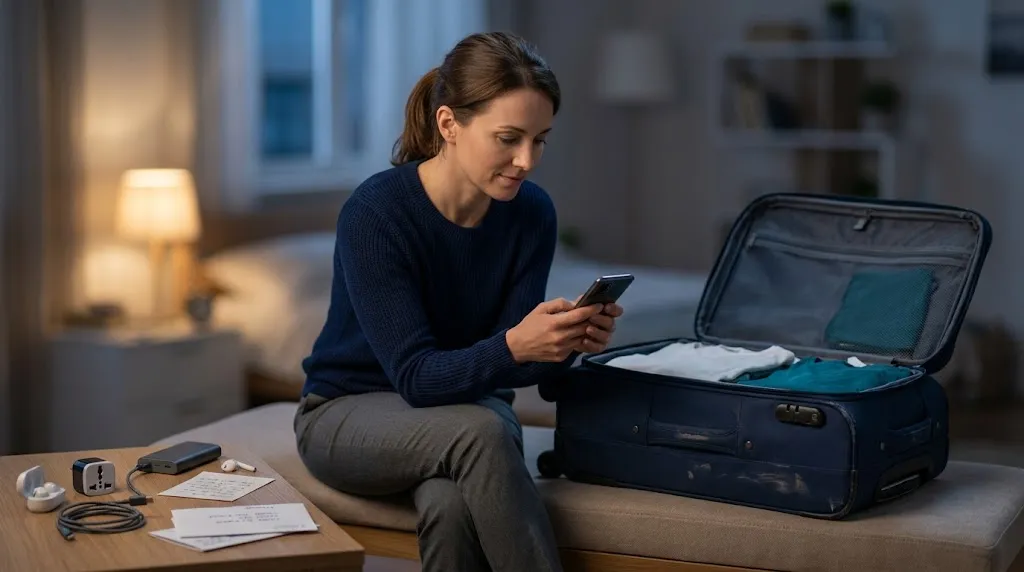
Do one final test the day before your trip. This catches app updates, missing downloads, storage problems, and settings you may have changed since your first preparation session.
- Open both apps: Confirm they launch normally.
- Check language packs: Make sure the needed languages are still downloaded.
- Use airplane mode: Test an offline phrase from start to finish.
- Test the camera: Translate a printed label or sign.
- Test audio: Confirm playback volume is easy to hear.
- Review saved phrases: Check accommodation, transport, food, health, and boundary phrases.
- Save your address: Keep the accommodation address in English and the local script where available.
- Check emergency contacts: Confirm local emergency and accommodation numbers.
- Charge your equipment: Pack your charger, adapter, cable, and portable battery.
- Keep an offline backup: Save essential information as screenshots or notes.
You do not need perfect language skills to travel independently. You need a communication system that still gives you useful options when the Wi-Fi disappears or a conversation becomes difficult.
Prepare those options before departure, then use the apps as tools rather than a substitute for judgment. A little practice at home can make your first unfamiliar conversation abroad feel much more manageable.