
How to Identify GPS Tracker Easily and Protect Your Privacy
In this guide, you will learn how to identify GPS trackers that may be secretly tracking your location. We cover simple steps and practical tips to find hidden devices and protect your privacy with ease.
Key Takeaways
- Understanding GPS Trackers: Learn what GPS trackers are and how they work.
- Physical Inspection: Know where to look for hidden GPS devices on vehicles or personal belongings.
- Use of Technology: Utilize apps and scanners to detect GPS signals and trackers.
- Battery and Signal Clues: Identify trackers by checking unusual battery drains or signal interference.
- Privacy Protection Tips: Take practical steps to secure your privacy from unauthorized tracking.
- Troubleshooting: How to handle false alarms and confirm the presence of GPS trackers.
- Legal Awareness: Understand your rights regarding GPS tracking and privacy.
How to Identify GPS Tracker Easily and Protect Your Privacy
GPS trackers are small devices that can track your location in real-time. While they serve useful purposes like tracking vehicles or pets, they can also be misused to invade your privacy. In this guide, you will learn how to identify GPS trackers quickly and easily. We will walk you through step-by-step instructions to find hidden trackers, use technology to detect them, and protect your privacy effectively.
Step 1: Understand What GPS Trackers Are
Before searching for GPS trackers, it’s important to understand what they look like and how they work. GPS trackers are small, often no bigger than a matchbox. They use satellite signals to determine their location and send that data to someone’s phone or computer. Trackers can be battery-powered or connected to a vehicle’s power supply.
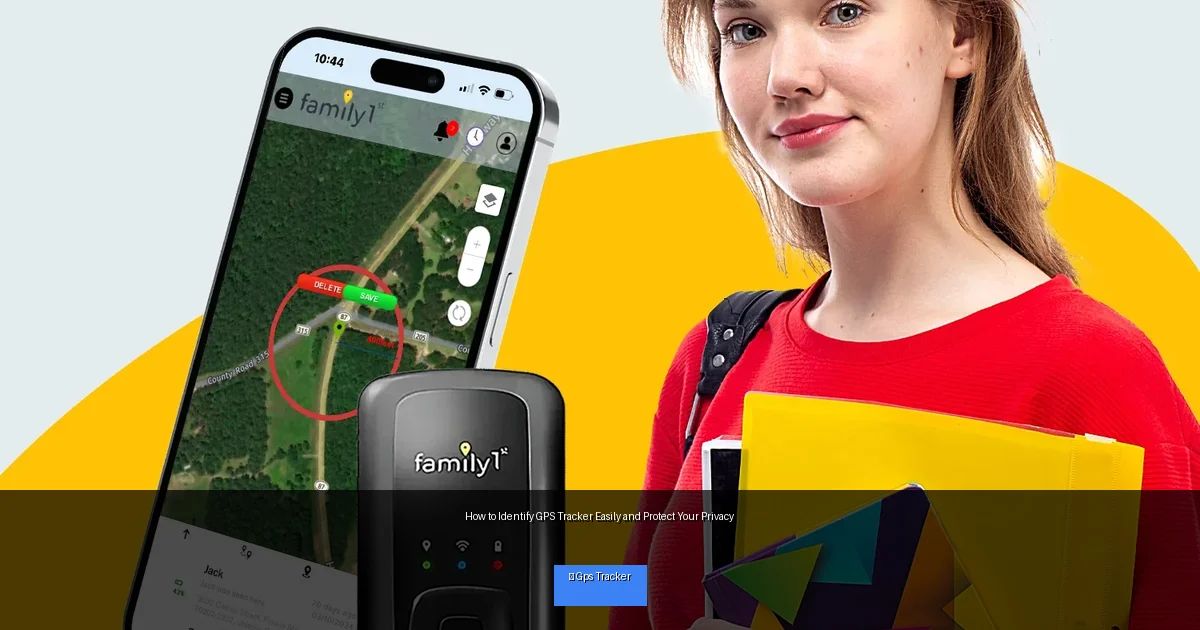
Visual guide about How to Identify GPS Tracker Easily and Protect Your Privacy
Image source: gpstracker247.com
Common Types of GPS Trackers
- Battery-powered Trackers: Portable and easy to hide. They need regular charging or battery replacement.
- Hardwired Trackers: Installed inside a vehicle and connected to its power system.
- Magnetic Trackers: Equipped with magnets to attach to metal surfaces like a car’s undercarriage.
Step 2: Perform a Physical Inspection
The easiest way to find a GPS tracker is by physically inspecting your belongings or vehicle.
Where to Look on Vehicles
- Under the Car: Check the undercarriage, wheel wells, and bumpers for small boxes or devices.
- Inside the Car: Look under seats, in glove compartments, behind dashboards, or inside the trunk.
- Near Metal Parts: Trackers with magnets often stick to metal parts like the frame or exhaust pipe.
Where to Look on Personal Items
- Check bags, backpacks, purses, or luggage for unusual electronic devices.
- Inspect clothing pockets or accessories for small hidden devices.
Practical Tip:
Use a flashlight and mirror to look into hard-to-see areas. Take your time and be thorough.
Step 3: Use Technology to Detect GPS Trackers
If a physical search doesn’t reveal anything, technology can help you detect hidden GPS trackers.
RF Signal Detectors
GPS trackers communicate via radio frequencies (RF). RF detectors can pick up these signals and alert you to nearby devices.
- Turn off all your devices to reduce background signals.
- Slowly scan your surroundings with an RF detector.
- If the detector beeps or shows a strong signal, investigate the area carefully.
Use Your Smartphone
There are apps designed to detect Bluetooth or Wi-Fi signals from trackers.
- Install trusted anti-tracking apps on your phone.
- Scan for unknown devices in your vicinity.
- Be cautious, as some apps may not detect all trackers.
Step 4: Check for Battery Drains and Signal Interference
Another clue to GPS trackers is unusual battery drain or signal problems on your phone or car.
Battery Drain
- If your phone or car battery is draining faster than usual, it may be due to a hidden tracker sending frequent signals.
- Monitor your device’s battery usage and look for spikes in power consumption.
Signal Interference
- GPS trackers may cause interference with your phone’s GPS or radio signals.
- Notice sudden drops in GPS accuracy or radio static as potential signs.
Step 5: Take Practical Steps to Protect Your Privacy
Once you identify a GPS tracker, it’s important to protect your privacy.
Remove or Disable the Tracker
- If safe, remove the device carefully and keep it as evidence.
- If unsure, contact professionals or law enforcement for help.
Secure Your Belongings
- Always lock your vehicle and personal belongings.
- Use GPS jammer devices where legal, or invest in anti-tracking technology.
Change Your Habits
- Be cautious about who has access to your vehicle or personal items.
- Regularly inspect your belongings for unknown devices.
Troubleshooting: Handling False Alarms
Sometimes, devices like key fobs, mobile hotspots, or other electronics may trigger detection devices.
- Turn off all personal devices during scanning to reduce false positives.
- Confirm suspicious devices by checking their appearance and function carefully.
- Consult a professional if unsure about a device’s purpose.
Conclusion
Learning how to identify GPS trackers is essential to protecting your privacy in today’s technology-driven world. By understanding what GPS trackers look like, performing thorough physical inspections, using technology to detect signals, and monitoring battery or signal anomalies, you can spot hidden trackers effectively. Always take prompt action to remove unauthorized devices and safeguard your personal space. Stay vigilant and keep your privacy intact.

