Carrying two backpacks at once can be tricky, but with the right techniques, you can do it comfortably and efficiently. This guide covers easy steps, helpful tips, and common mistakes to avoid, so you can travel or commute without strain.
Key Takeaways
- Balance is essential: Distribute weight evenly to avoid discomfort and injury.
- Use proper straps: Adjust shoulder and chest straps for a secure fit.
- Choose the right backpacks: Lightweight, ergonomic backpacks make carrying two easier.
- Pack smartly: Keep heavy items close to your back to improve stability.
- Take breaks: Resting periodically reduces fatigue and prevents muscle strain.
- Practice walking posture: Maintain a straight back and relaxed shoulders to minimize stress.
- Know alternative carrying methods: Using one backpack on your back and one in hand or front can help in certain situations.
How to Carry Two Backpacks Comfortably and Efficiently Every Time
Carrying two backpacks might seem challenging at first. Whether you’re a traveler juggling gear, a student carrying extra supplies, or simply moving items from one spot to another, managing two backpacks can cause discomfort if not done right. This guide will teach you how to carry two backpacks comfortably and efficiently, minimizing strain and making your journey smoother.
Step 1: Choose the Right Backpacks
Not all backpacks are created equal, especially when you plan to carry two at once.
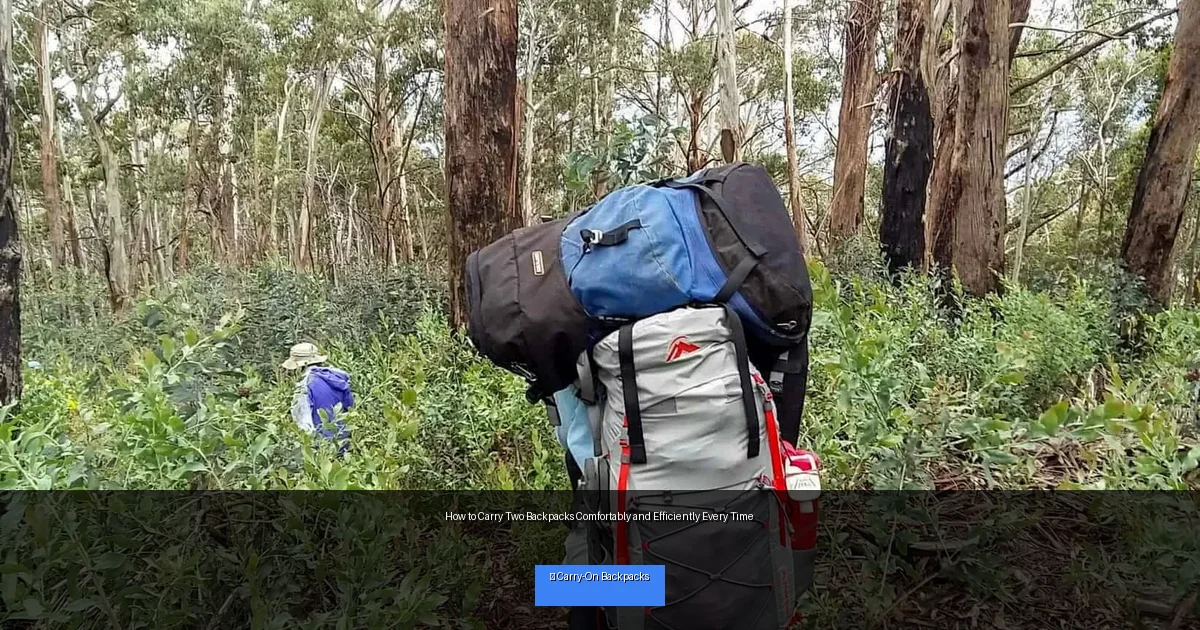
Visual guide about How to Carry Two Backpacks Comfortably and Efficiently Every Time
Image source: lotsafreshair.com
Pick Lightweight and Ergonomic Designs
Start by selecting backpacks that are light themselves. Heavy backpacks add unnecessary weight. Look for ergonomic designs that contour to your back and have padded straps. This reduces pressure points and improves comfort.
Consider Size and Shape
Backpacks that are too bulky or oddly shaped will be harder to manage together. Choose medium-sized backpacks with a slim profile to keep your load balanced and reduce awkwardness.
Step 2: Pack Smartly
How you pack your backpacks affects how comfortable they will be to carry.
Distribute Weight Evenly
Put heavier items near the bottom and close to your back. This helps maintain your center of gravity and prevents the backpacks from pulling you backward.
Balance the Loads
Try to make the weight of both backpacks roughly equal. If one is much heavier, carrying it on your dominant side might be easier, but aim for similar weights to avoid uneven strain.
Step 3: Use Proper Carrying Techniques
How you wear the backpacks makes a huge difference.
Wear One Backpack on Your Back and One in Front
This method helps balance the weight and keeps both loads secure. The front backpack should be lighter and smaller to avoid obstructing your movement or vision.
Wear Both Backpacks on Your Back
Place one backpack normally and the other over one shoulder or slightly to the side. Use the chest and waist straps on both bags to stabilize them and prevent shifting.
Carry One Backpack by Hand
When walking short distances, carry one backpack by its handle and wear the other on your back. This method reduces pressure on your shoulders but may tire your arm.
Step 4: Adjust Straps for Maximum Comfort
Strap adjustment is key to preventing discomfort and injury.
Shoulder Straps
Tighten shoulder straps so the backpacks sit snugly against your body without restricting movement.
Chest and Waist Straps
Use chest and waist straps to distribute weight across your torso. This frees your shoulders and improves stability.
Fine-Tune as You Go
Check your straps regularly during your walk or travel. Adjust if you feel slipping or discomfort. Proper strap tension keeps backpacks secure and comfortable.
Step 5: Maintain Good Posture
Good posture helps you carry two backpacks with less effort.
Stand Tall and Keep Your Shoulders Back
Keep your spine straight and avoid slouching. This helps distribute weight evenly and reduces back pain.
Engage Your Core
Engage your abdominal muscles to support your lower back. This gives you more endurance and stability.
Take Small, Steady Steps
A steady pace helps maintain balance, especially with two backpacks. Avoid sudden movements or twisting motions.
Step 6: Take Breaks and Stretch
Carrying two backpacks can tire your muscles faster. Taking breaks is essential.
Pause Regularly
Stop every 30-60 minutes to rest your shoulders and back. Find a place to sit and remove the backpacks if possible.
Stretch Your Muscles
Perform simple stretches for your neck, shoulders, and back. This reduces tension and prevents stiffness.
Troubleshooting Common Problems
Backpacks Slipping Off Your Shoulders
Make sure your shoulder straps are tightened properly. Use chest straps to keep the bags from sliding. If needed, add anti-slip pads or wear clothing with better grip.
Feeling Off-Balance
Check if one backpack is heavier. Rearrange contents to balance weight. Wearing one pack in front and one behind can improve stability.
Experiencing Shoulder or Back Pain
Loosen straps slightly and adjust the fit. Take breaks more often and consider using backpacks with better padding.
Additional Tips for Carrying Two Backpacks
- Use backpacks with load lifter straps to pull the weight closer to your body.
- Wear breathable clothing to reduce sweating and skin irritation.
- Consider using a luggage cart or trolley for long distances or heavy loads.
- Practice carrying two backpacks at home to build strength and find your best method.
Conclusion
Carrying two backpacks comfortably and efficiently is all about choosing the right gear, packing smart, and using good techniques. By balancing weight, adjusting straps, maintaining posture, and taking breaks, you can avoid strain and enjoy your travel or daily tasks. Remember, practice makes perfect, so try different methods to find what works best for you. Now you’re ready to carry two backpacks like a pro every time!
🎥 Related Video: Here is the proper way to carry a backpack! 🎒
📺 Advanced Health Chiropractic South Loop
Book your appointment with us, here: https://www.southloopchiropractor.com/contact-us/ Thank you for watching – Here is the …
Author