
How to GPS Track Your Childs Phone Safely and Effectively
GPS tracking your child’s phone can provide peace of mind by helping you know their location in real time. This guide walks you through safe and effective methods to set up tracking, choose the right apps, and use them responsibly to ensure your child’s safety without invading their privacy.
Key Takeaways
- Understanding GPS Tracking: Learn how GPS tracking works and why it’s useful for child safety.
- Choosing the Right App: Select secure and reliable GPS tracking apps designed for family use.
- Setting Up Tracking Safely: Follow step-by-step instructions to install and configure tracking on your child’s phone.
- Communicating With Your Child: Maintain trust by discussing tracking openly and respecting privacy boundaries.
- Monitoring and Alerts: Use alerts and location history features to stay informed without constant checking.
- Troubleshooting Common Issues: Resolve GPS inaccuracies, battery drain, and app malfunctions effectively.
- Legal and Ethical Considerations: Understand the importance of consent and local laws when tracking a child’s phone.
How to GPS Track Your Child’s Phone Safely and Effectively
Keeping your child safe is a top priority for every parent. With technology, you can now easily GPS track your child’s phone to know their whereabouts in real time. This guide will teach you exactly how to do this safely and effectively. We’ll cover choosing the right tools, setting them up, and maintaining a healthy balance between safety and privacy.
Why GPS Tracking Your Child’s Phone Matters
GPS tracking helps parents stay informed about their child’s location. It’s especially useful for peace of mind during commutes, outings, or emergencies. However, tracking should be done thoughtfully to build trust and respect your child’s independence.
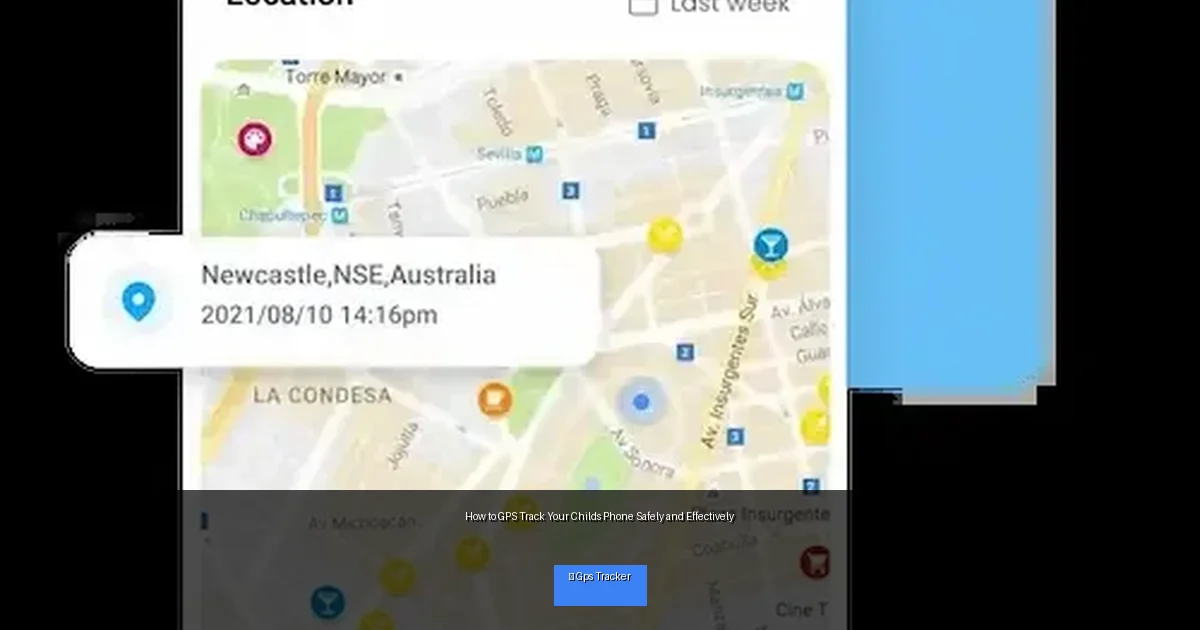
Visual guide about How to GPS Track Your Childs Phone Safely and Effectively
Image source: msafely.com
Step 1: Understand How GPS Tracking Works
GPS (Global Positioning System) uses satellites to pinpoint a phone’s location. Most smartphones have built-in GPS chips that apps can access with permission. Tracking apps use this data to show your child’s location on a map in real time or at set intervals.
Step 2: Choose a Reliable GPS Tracking App
Research Trusted Apps
Look for family-oriented GPS apps with good reviews and strong privacy policies. Popular options include Life360, Find My (iPhone), Google Family Link, and Famisafe. These apps are designed for child monitoring and offer features like geofencing and alerts.
Check Compatibility and Features
Make sure the app works on your child’s phone system (iOS or Android). Key features to consider:
- Real-time location updates
- Location history
- Geofencing alerts (notifications when your child enters or leaves a preset area)
- Battery usage optimization
- Privacy controls and consent settings
Step 3: Prepare Your Child’s Phone for Tracking
Get Consent and Explain the Purpose
Talk openly with your child about why you want to track their phone. Emphasize safety, not control. This builds trust and encourages cooperation.
Install the App Together
Download and install the chosen app on your child’s phone. Follow the app’s instructions to grant location permissions, enable background location access, and set up notifications.
Adjust Phone Settings
Ensure location services are turned on. On iPhones, go to Settings > Privacy > Location Services. On Android, go to Settings > Location. Also, allow the app to run in the background to maintain continuous tracking.
Step 4: Set Up Monitoring on Your Device
Download the companion app or log into the web portal on your own phone or computer. Link your child’s device to your account for easy access to location data and alerts.
Configure Alerts and Notifications
Set up geofencing alerts for important locations like school, home, or a friend’s house. Customize how frequently you want location updates to avoid overwhelming notifications.
Step 5: Use GPS Tracking Responsibly
Balance Safety and Privacy
Tracking should not be used to spy or invade privacy. Respect your child’s space and limit monitoring to necessary times. Constant tracking can affect trust.
Communicate Regularly
Check in with your child about their comfort with tracking. Update settings together as they grow more responsible.
Step 6: Troubleshooting Common Issues
GPS Location Is Inaccurate
- Make sure the phone has a clear view of the sky for best GPS signal.
- Check that location services are enabled and the app has proper permissions.
- Restart the phone to reset GPS functions.
App Drains Battery Quickly
- Adjust location update frequency to less frequent intervals.
- Close other background apps that may consume battery.
- Use battery saver mode when appropriate, but ensure it does not disable location tracking.
App Not Sending Location Updates
- Verify internet connection on your child’s phone.
- Check for app updates or reinstall the app if needed.
- Confirm that you are logged into the correct account on both devices.
Legal and Ethical Considerations
Before you start tracking, be aware of local laws regarding privacy and consent. Generally, tracking your minor child’s phone is legal, but it’s best to be transparent and gain their agreement. Avoid tracking teenagers without their knowledge, as it may damage trust and create conflict.
Conclusion
GPS tracking your child’s phone can be a valuable tool for ensuring their safety. By choosing the right app, setting it up properly, and maintaining open communication, you can use GPS tracking safely and effectively. Remember, the goal is to protect your child while respecting their privacy and fostering trust.
Stay patient and flexible as you and your child adjust to this new safety measure. With the right balance, GPS tracking can give you peace of mind and help keep your child safe in today’s fast-paced world.

