In this guide, you’ll learn how to detect a hidden GPS tracker using practical methods anyone can follow. From visual inspections to electronic detection tools, these tips will help you protect your privacy and regain control of your personal space.
Key Takeaways
- What is a GPS tracker: Understand the basics of GPS trackers and how they work to monitor location.
- Common hiding spots: Learn where hidden GPS trackers are typically placed on vehicles and personal belongings.
- Visual inspection techniques: Use simple methods to spot suspicious devices without special equipment.
- Electronic detection tools: Discover how electronic scanners and apps can help identify active GPS trackers.
- How to disable or remove trackers: Steps to safely remove or disable hidden GPS devices once found.
- Preventive measures: Tips on how to protect yourself from future tracking attempts.
- When to seek professional help: Knowing the signs that call for expert intervention or legal action.
How to Detect a Hidden GPS Tracker and Protect Your Privacy Today
Your privacy is important. Sometimes, people place hidden GPS trackers on vehicles or personal items without permission. These devices can track your movements and compromise your safety. In this guide, you’ll learn how to detect a hidden GPS tracker step-by-step. By following these simple methods, you can find trackers quickly and protect yourself.
What Is a GPS Tracker?
A GPS tracker is a small device that uses Global Positioning System technology to monitor the location of a vehicle or object. It sends location data to a receiver or smartphone app, allowing someone to track the device in real-time. While GPS trackers have many legal uses, they can also be misused for stalking or spying.
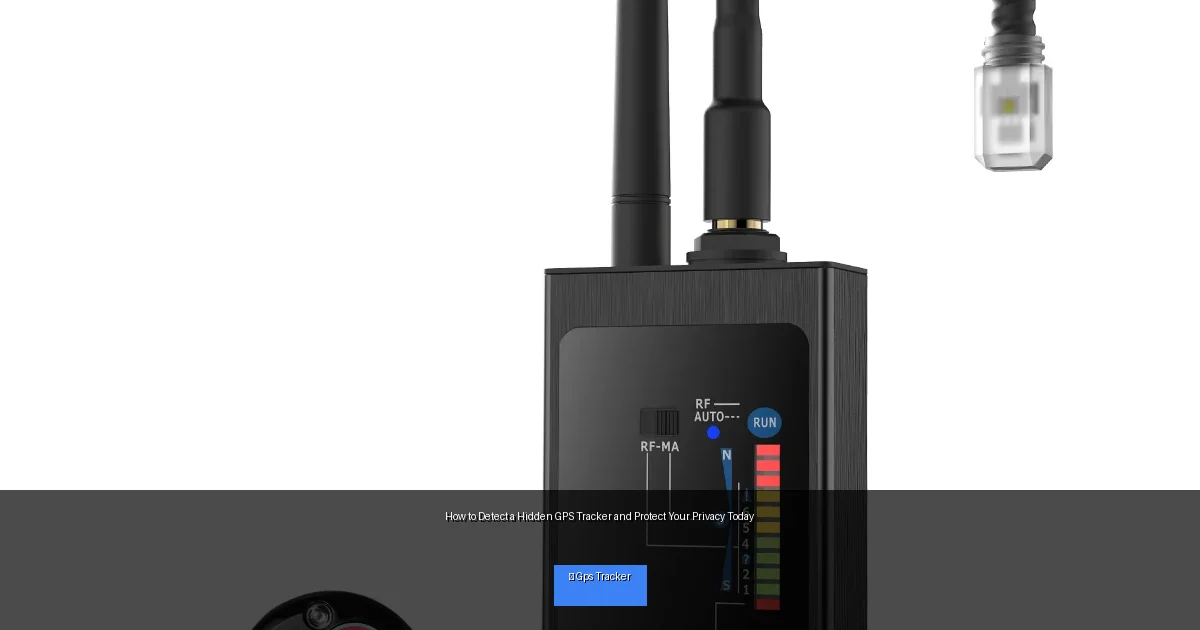
Visual guide about How to Detect a Hidden GPS Tracker and Protect Your Privacy Today
Image source: fibatdor.com
Step 1: Understand Common Hiding Spots
Before searching, know where trackers are usually hidden. They are often small and battery-powered, so they can fit in tight spaces.
On Vehicles
- Under the chassis or bumper
- Inside wheel wells
- In the engine compartment
- Behind license plates
- Inside door panels or under seats
On Personal Items
- Inside bags or purses
- In clothing pockets
- Attached to keys or wallets
- Hidden in electronic devices
Step 2: Perform a Visual Inspection
Start by carefully looking around your car or belongings. Use a flashlight and mirror if necessary. Look for anything unusual or out of place.
Check for Loose Wires or Boxes
Hidden trackers often need power or antennas. Look for small boxes, wires, or magnets stuck to metal surfaces.
Look for Adhesive Residue or Scratches
Trackers might be attached with tape or glue. Check for marks where something may have been stuck recently.
Use Your Hands to Feel Around
Run your fingers over hidden areas, such as under bumpers or seat cushions, to detect lumps or objects.
Step 3: Use Electronic Detection Tools
Visual checks are helpful but may miss hidden devices. Electronic tools can detect signals or magnetic fields emitted by GPS trackers.
RF (Radio Frequency) Detectors
Most GPS trackers transmit data using radio signals. An RF detector scans for these signals, alerting you if a tracker is nearby.
GPS Detector Apps
Some smartphone apps can detect unusual GPS signals or Bluetooth devices. These can help locate trackers attached to your phone or belongings.
Magnetic Field Detectors
Many GPS trackers use magnets to stick to metal surfaces. A magnetic detector can help find these hidden devices.
Step 4: Scan Your Vehicle’s OBD-II Port
Some GPS trackers connect directly to your car’s onboard diagnostic (OBD-II) port. This port is usually under the dashboard on the driver’s side.
Locate the Port
Find your car’s OBD-II port, often near the steering column.
Inspect the Port
Look for any devices plugged into the port that you did not install yourself.
Remove Suspicious Devices
If you find an unknown device, carefully unplug it. This could be a hidden GPS tracker.
Step 5: Disable or Remove the Tracker
Once you find a hidden GPS tracker, you should disable or remove it to stop being tracked.
Turn Off the Device
If it has a power switch or battery compartment, turn it off or remove the batteries.
Physically Remove the Device
Gently detach or unscrew the tracker from where it is hidden.
Keep the Device for Evidence
If you suspect illegal tracking, keep the tracker as evidence and consider contacting law enforcement.
Step 6: Take Preventive Measures
Protect yourself from future tracking attempts with these tips.
- Regularly inspect your vehicle and belongings.
- Use GPS tracker detectors periodically.
- Install security cameras in your home or parking area.
- Be cautious about who has access to your keys or personal items.
- Consider professional vehicle inspections if you feel targeted.
Troubleshooting Common Issues
False Positives on RF Detectors
Sometimes, other devices like car key fobs or Wi-Fi routers emit signals that trigger RF detectors. Try turning off other electronics to narrow down the source.
Difficulty Finding Small Trackers
Trackers can be very small and well-hidden. Use multiple detection methods and consider professional help if needed.
Tracker Not Transmitting Signals
Some trackers store data and only transmit when in range of a receiver. In this case, a physical search is more effective than electronic scanning.
Conclusion
Knowing how to detect a hidden GPS tracker is a vital skill to protect your privacy. With careful inspection, electronic tools, and preventive habits, you can find and remove trackers quickly. Stay vigilant and take control of your personal security today.
🎥 Related Video: How To Detect A GPS Tracker On My Car [Step-By-Step]
📺 GPS Tracker Shop
What To Look For If Your Car Is Bugged Want to purchase a hidden GPS tracker? Call us toll-free 7 days a week at 855-922-8100 …

