
Do Wireless Earbuds Work on Airplanes Explanation and Tips
Wondering if wireless earbuds work on airplanes? This guide explains how Bluetooth earbuds function during flights, airline policies, and the best ways to use them. Learn practical tips to enjoy your favorite music or movies seamlessly while traveling.
Quick Answers to Common Questions
Can I use wireless earbuds during takeoff and landing?
Most airlines require devices to be off or in airplane mode during takeoff and landing. You can usually turn on Bluetooth earbuds once the plane reaches cruising altitude.
What if my wireless earbuds don’t connect on the plane?
Try toggling Bluetooth off and on, restarting your earbuds, or re-pairing them with your device. Carry wired earbuds as a backup.
Are noise-canceling earbuds better for flights?
Yes, they reduce background noise like engine sounds, making your listening experience clearer and more enjoyable.
Is it safe to use wireless earbuds on flights?
Yes, Bluetooth signals are low power and do not interfere with airplane systems, making them safe for in-flight use.
Can I charge my wireless earbuds on the plane?
Many planes offer USB ports or power outlets. Bring your charging case and cable to recharge your earbuds during the flight.
Do Wireless Earbuds Work on Airplanes Explanation and Tips
Traveling with wireless earbuds has become standard for many people. But if you’re wondering, do wireless earbuds work on airplanes, you’re not alone. This guide will explain how wireless earbuds function on flights, what airlines allow, and how to get the best experience while flying. We’ll cover everything from connecting your earbuds in the air to troubleshooting common problems and following airline safety rules.
Understanding Wireless Earbuds and Airplane Use
Wireless earbuds connect to your phone, tablet, or other devices using Bluetooth technology. Bluetooth uses low-energy radio waves to communicate over short distances, usually up to 30 feet. This means you don’t need wires to enjoy your audio, which is perfect for travel.
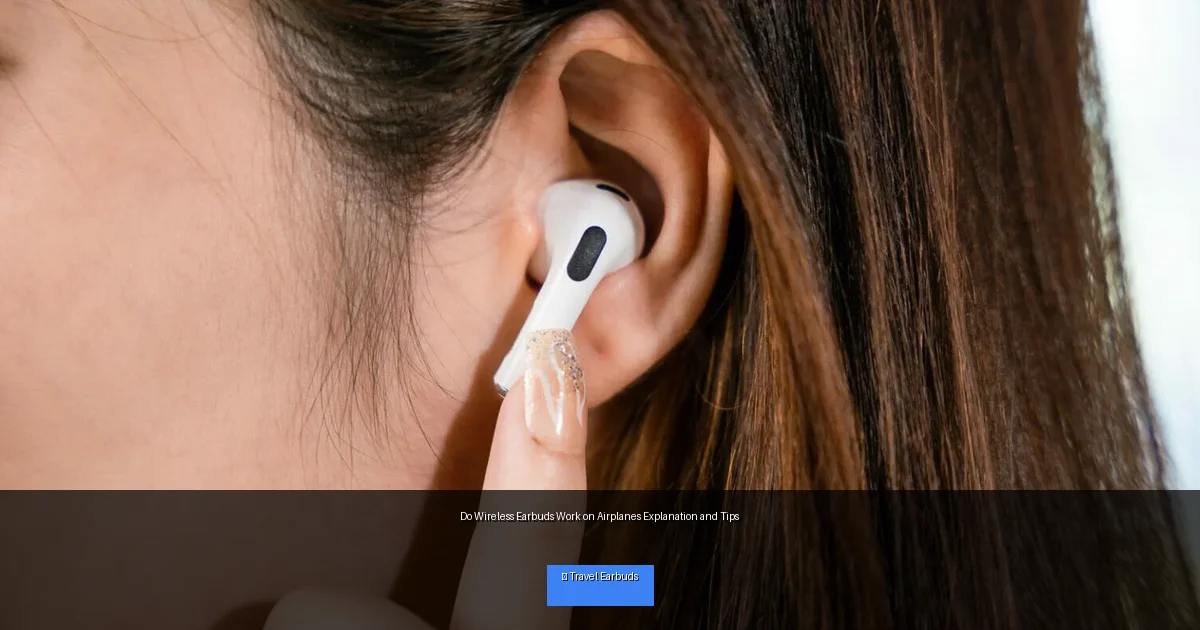
Visual guide about Do Wireless Earbuds Work on Airplanes Explanation and Tips
Image source: transitwirelesswifi.com
On airplanes, electronic devices can sometimes interfere with aircraft systems. However, Bluetooth signals are very low power and generally considered safe for use during flights. Most airlines now allow passengers to use wireless earbuds once the plane reaches cruising altitude and the crew gives permission.
Step 1: Check Airline Policies and Regulations
Why It Matters
Different airlines have varying rules about electronic devices on board. Some airlines may restrict Bluetooth use during takeoff and landing or require devices to be in airplane mode.
How to Check
- Visit the airline’s official website and look for their electronic device policy.
- Contact customer service to ask about Bluetooth device usage.
- Listen to flight attendants’ announcements during the flight.
Knowing the rules helps you avoid surprises and ensures a smooth in-flight experience.
Step 2: Prepare Your Wireless Earbuds Before the Flight
Charge Fully
Make sure your earbuds are fully charged before boarding. Flights can be long, and charging options on planes are limited.
Update Firmware
Check if your earbuds have any available software updates. Updated firmware can improve Bluetooth stability and battery life.
Pair with Your Device
Before the flight, pair your earbuds with your smartphone, tablet, or laptop. This avoids connection delays while on board.
Step 3: Use Airplane Mode with Bluetooth Enabled
What is Airplane Mode?
Airplane mode disables cellular, Wi-Fi, and Bluetooth signals on your device to prevent interference with aircraft systems. However, most devices allow you to manually turn Bluetooth back on after enabling airplane mode.
How to Use
- Turn on airplane mode on your device once instructed by the crew or before takeoff.
- Go to Bluetooth settings and turn Bluetooth back on.
- Connect your wireless earbuds to your device as usual.
This method complies with airline safety while letting you use your wireless earbuds.
Step 4: Enjoy Your Audio During the Flight
Best Practices for Listening on a Plane
- Use noise-canceling earbuds: They help block out engine and cabin noise.
- Keep volume moderate: High volume can damage hearing and prevent you from hearing crew announcements.
- Respect fellow passengers: Use earbuds instead of speakers to keep the cabin quiet.
- Bring a backup option: Carry wired earbuds or headphones in case of Bluetooth issues.
Following these tips will make your flight more enjoyable and comfortable.
Troubleshooting Wireless Earbuds on Airplanes
Common Issues
- Bluetooth won’t connect: Try turning Bluetooth off and on again on your device or restart your earbuds.
- Audio cutting out: Ensure the earbuds are fully charged and close to your device.
- Interference or static noise: Move away from other electronic devices or reposition your earbuds.
- Battery drains quickly: Use lower volume and turn off features like active noise cancellation when not needed.
When to Ask for Help
If problems persist, consult your earbud manufacturer’s support or airline staff for assistance.
Additional Tips for Using Wireless Earbuds on Airplanes
- Bring a charging case: It extends battery life during long flights.
- Download entertainment offline: Don’t rely on airplane Wi-Fi for streaming audio.
- Use a travel adapter: Some planes have USB ports or power outlets to charge devices.
- Keep earbuds clean: Hygiene is important when using earbuds frequently on flights.
Conclusion
In summary, wireless earbuds work on airplanes as long as you follow airline regulations and use airplane mode with Bluetooth enabled. They provide a convenient and comfortable way to enjoy music, movies, and podcasts during your flight. Preparing your earbuds, understanding airline rules, and following simple tips ensure a smooth in-flight audio experience. So next time you fly, don’t hesitate to pack your wireless earbuds and enjoy your journey with great sound!
🎥 Related Video: Watch In-Flight TV on Wireless Headphones With the Airfly
📺 Real Simple
See how to watch in-flight TV on your wireless headphones with the Airfly adapter! We demonstrate the setup and use of the Airfly, …
