Should a Solo Female Traveler Share Her Live Location? A Complete Safety Guide

Quick Answer
Yes, a solo female traveler should consider sharing her live location with one or two trusted people, especially during unfamiliar journeys, late-night transfers, or remote activities. However, continuous tracking is not always necessary. The safest approach combines selective location sharing, scheduled check-ins, clear emergency instructions, and personal privacy boundaries. Tools such as Google Maps location sharing can help trusted contacts follow a journey when needed.
Five rules for safer location sharing
- Choose trusted contacts: Share only with people who respect your privacy and can respond appropriately.
- Set time limits: Keep sharing active during specific journeys instead of automatically sharing indefinitely.
- Plan check-ins: Agree on when and how you’ll confirm that you’ve arrived safely.
- Prepare offline backups: Save addresses, emergency numbers, and accommodation details before losing internet access.
- Protect your independence: Never feel pressured to give continuous tracking access to someone you don’t trust.
My practical recommendation
- Use temporary live location sharing during higher-risk journeys and simple check-in messages during ordinary sightseeing.
Should a solo female traveler share her live location, or does that create another privacy concern? It’s a question worth answering before your first independent adventure.
I believe solo female travel safety works best when preparation supports freedom rather than replacing it. This guide explains when location sharing helps, when it doesn’t, and how to build a safety plan that protects both your independence and personal information.
In This Guide
- Should You Share Your Live Location When Traveling Alone?
- When Should a Solo Female Traveler Share Her Location?
- What Are the Best Ways to Share Your Live Location?
- Can Sharing Your Live Location Put You at Risk?
- How Do You Create a Safe Location-Sharing Plan?
- What Can You Do Instead of Sharing Your Location?
- Frequently Asked Questions
Should You Share Your Live Location When Traveling Alone?
Sharing your live location can add an important layer of safety during solo travel. It allows a trusted person to see your approximate current position and follow certain movements through a supported app.
However, location sharing is a support tool, not an emergency rescue service. Someone knowing where you are doesn’t automatically mean they can help you.
What does live location sharing mean?
Live location sharing is a phone feature that allows selected people to view updates about your device’s location. Depending on the app, those updates may continue for a chosen period or until you stop sharing.
A location pin sent through a message is different. It generally shows one place rather than automatically updating as you move.
This distinction matters when choosing a safety method. A fixed pin can confirm your hotel address, while live sharing can help someone follow a taxi journey.
Why can location sharing improve solo female travel safety?
Traveling independently means handling unfamiliar transport, changing schedules, and unexpected delays without a companion beside you. Giving a trusted contact temporary visibility can make those situations easier to manage.
I prefer thinking of it as a backup communication channel. It shouldn’t replace checking your route, trusting your judgment, or asking local authorities for help.
The most useful benefits include:
- Journey visibility: A trusted contact can follow your progress during an unfamiliar transfer.
- Unexpected delays: Your contact may have useful information if you miss an agreed check-in.
- Emergency context: Your last available location can help explain where you were traveling.
- Peace of mind: Selected sharing can reassure you and your contact without constant messages.
- Travel coordination: It can simplify meeting a friend or confirming arrival.
These benefits depend on mobile connectivity, device power, and app settings. An outdated location should never be treated as proof of someone’s current safety.
Is continuous location sharing necessary?
No. Most solo travelers don’t need someone monitoring their position every minute of a holiday.
For ordinary daytime sightseeing, a short arrival message may be enough. A nighttime transfer or isolated excursion may justify more detailed sharing.
I favor a simple principle: Share enough information to support your safety, but no more than necessary.
This approach respects the purpose of solo travel. You can explore independently while keeping an emergency contact informed when circumstances warrant it.
Section Takeaway: Live location sharing can improve communication and emergency preparedness. It works best as one layer of a broader safety plan, not a substitute for personal awareness.
When Should a Solo Female Traveler Share Her Location?

Temporary location sharing is most useful when a journey involves unfamiliar surroundings, limited support, or unpredictable transportation. The right choice depends on the activity rather than whether you’re traveling alone.
During airport transfers and unfamiliar taxi rides
Airport arrivals can feel demanding after a long flight. You’re managing luggage, unfamiliar roads, local transport rules, and sometimes limited mobile data.
For a late arrival, I recommend sharing your trip progress with a trusted contact until you reach your accommodation. You can also send your driver or vehicle details when available.
Before entering a vehicle:
- Confirm the license plate and driver details against your booking.
- Check the destination in your navigation app.
- Use an established transport provider when possible.
- Keep your phone accessible and sufficiently charged.
- Arrange a simple arrival confirmation with your emergency contact.
When walking alone at night
Nighttime travel deserves extra planning, especially in places you don’t know well. Sharing a location may help someone follow your progress, but it cannot make an unsafe route safe.
I would prioritize a well-lit, populated route or reliable transport over relying on tracking. Location sharing should be an additional precaution.
During hikes, remote excursions, and outdoor activities
Remote travel creates different challenges. Cellular coverage can disappear, and location updates may stop without warning.
Tell someone your intended trail, starting point, estimated return time, and backup plan. Carry offline navigation where appropriate.
For wilderness trips, check whether a satellite messenger or personal locator beacon is appropriate. Ordinary phone location sharing isn’t a substitute for a dedicated emergency communication device.
When staying in a new destination
Your first evening in a new city is a useful time for a check-in. Once you’re comfortable with the area, constant sharing may become unnecessary.
Consider this example: You’re spending three days in Lisbon and traveling from the airport to your hotel after dark. Sharing the airport-to-hotel journey is reasonable, while sharing every café visit may provide little added benefit.
Which activities need the most location sharing?
| Travel situation | Suggested method | Sharing period |
|---|---|---|
| Late-night airport transfer | Live trip sharing | Until arrival |
| Daytime city sightseeing | Scheduled check-in | At an agreed time |
| Remote hiking | Route plan plus emergency backup | Before departure and after return |
| Intercity bus or train | Itinerary and arrival check-in | Departure and arrival |
| Unfamiliar nighttime walk | Temporary live sharing | Until reaching a safe destination |
These are practical recommendations, not official safety ratings. Personal circumstances, local conditions, and connectivity may change the appropriate choice.
Section Takeaway: Use location sharing for specific journeys where extra visibility could help. Routine check-ins are often enough for lower-risk activities.
What Are the Best Ways to Share Your Live Location?
Google Maps and Apple’s Find My are two established options for sharing your location. Your choice should depend on your device, your trusted contact’s device, and the sharing controls you need.
How to share your location using Google Maps
Google Maps supports real-time location sharing on compatible Android and iPhone devices. You can choose a recipient and control how long you share.
The general process is:
- Open Google Maps on your phone.
- Tap your profile picture or account icon.
- Select Location sharing.
- Choose the option to share your location.
- Select a trusted contact and the available sharing duration.
- Check that your contact can view the location.
- Stop sharing when the agreed journey ends.
Menu labels can change with app updates. Review Google’s current help instructions if the settings look different.
Also remember that a recipient may see more than a map pin. Google explains that shared information can include your device’s recent location and battery status.
How to share your location using Apple Find My
For iPhone users, Apple’s Find My provides location sharing with selected contacts. It also offers controls for stopping or changing access.
A typical setup involves:
- Open the Find My app.
- Select the People tab.
- Choose the option to share your location.
- Select the person you trust.
- Choose an available sharing duration.
- Confirm that sharing is active.
Apple’s official Find My location-sharing guide explains the current controls and how to stop sharing.
Should you use WhatsApp live location?
WhatsApp can be convenient when you already communicate with a trusted contact through the app. Its location-sharing options may be useful for short journeys.
Check the available duration, recipient, and privacy settings before starting. Avoid sharing into large groups or conversations containing people you don’t know well.
Which location-sharing method is best?
I would choose a tool that both people already understand. A familiar system is more useful during a stressful situation than an unfamiliar app with extra features.
Test it before departure:
- Make sure your contact can open the shared location.
- Check what they can see.
- Learn how to stop sharing.
- Confirm that your mobile data and roaming arrangements work.
- Agree on what your contact should do if updates stop.
Don’t rely on an app merely because its map looks accurate. A phone can lose power, lose signal, or report an old position.
Can Sharing Your Live Location Put You at Risk?
Yes. Live location sharing creates privacy risks when the recipient isn’t trustworthy or access continues longer than intended.
Anyone with ongoing access may learn where you’re staying, the places you visit, and parts of your routine. These details deserve protection.
Why shouldn’t you share with strangers or new acquaintances?
A friendly conversation during a hostel activity doesn’t automatically establish trust. Neither does meeting someone through a dating app or online travel group.
I wouldn’t give a newly met person continuous access to my movements. Sharing a public meeting place is different from allowing someone to follow you back to your accommodation.
Be especially cautious about:
- Posting live location links on public social media.
- Sharing a private accommodation address in public groups.
- Giving tracking access to someone you’ve only met online.
- Leaving location links active after an activity ends.
- Allowing other people to pressure you into sharing.
Can someone misuse your shared location?
Someone with access could potentially monitor your routine or show up where you are without an invitation. The concern increases if that person has already ignored your boundaries.
Location sharing must remain voluntary. You should be able to change your mind without explaining every movement.
If someone is threatening, stalking, or controlling you, review access carefully. Abruptly stopping sharing can sometimes alert that person and increase risk.
Apple provides a Safety Check feature that helps iPhone users review information shared with people and apps. If your safety is at risk, seek guidance from a trusted support service or local authorities before changing settings.
Does location sharing expose your hotel?
It can. A contact with access may be able to identify your accommodation from your movements and overnight location.
This doesn’t mean you should hide your hotel from every emergency contact. It means you should decide deliberately who needs the address.
For most trips, one trusted person can keep your itinerary and accommodation information privately. Public followers and casual acquaintances don’t need those details.
Can social media reveal your location too?
Yes. Real-time posts, geotags, and recognizable landmarks may reveal where you’re currently spending time.
I recommend posting detailed travel updates after leaving a location, especially when traveling alone. This simple delay allows you to share your adventures without publicly broadcasting every stop.
Section Takeaway: The person receiving your location matters as much as the app. Choose limited access, clear boundaries, and private communication over public or indefinite tracking.
How Do You Create a Safe Location-Sharing Plan?
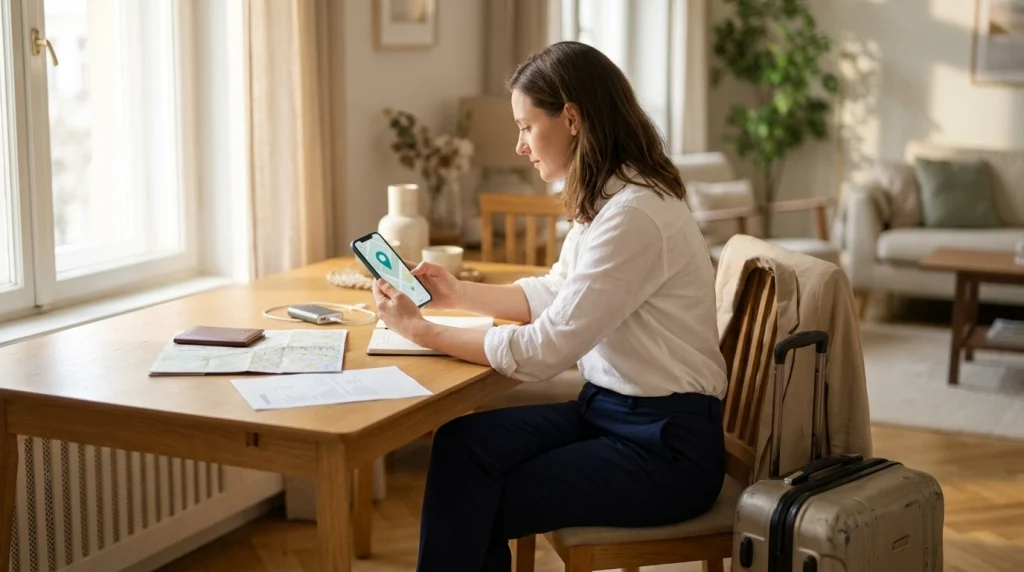
A good solo travel safety plan tells someone what information they may receive and what action they should take if something goes wrong. It doesn’t require another person to monitor you all day.
Step 1: Choose one or two emergency contacts
Pick people who are dependable, reachable, and calm under pressure. They should understand your travel schedule and respect your personal boundaries.
Ask whether they’re comfortable taking this role before departure. Don’t assume someone will be watching their phone just because you’ve shared a location.
Step 2: Share your basic travel itinerary
Give your trusted contact information they can use if communication fails.
- Your destination and travel dates.
- Flight, train, or bus details when relevant.
- Accommodation name, address, and contact number.
- Planned major activities or excursions.
- Local emergency contact information.
- Any important changes to your route.
You don’t need to report every spontaneous activity. Focus on details that would matter during an emergency.
Step 3: Set a realistic check-in schedule
Choose check-in times that suit your destination and daily activities. Account for the time difference between you and your contact.
For example, you might agree to send a message after your evening return. On a transfer day, you could send separate departure and arrival updates.
A useful message could be:
I’m leaving the airport now and heading to my hotel. I’ve shared my journey location and expect to arrive around 9:30 p.m. local time. I’ll message when I’m checked in.
This tells your contact what to expect without creating unnecessary worry.
Step 4: Agree on what happens if you miss a check-in
This is one of the most important parts of the plan. Without clear instructions, a missed message can create confusion.
Agree on a simple response sequence:
- Allow a reasonable grace period for delays and connectivity problems.
- Try calling and messaging through your agreed contact methods.
- Check any available journey updates and your last confirmed itinerary.
- Contact your accommodation or transport provider if appropriate.
- Seek help from relevant local emergency services if there is credible danger.
A serious threat or clear emergency should trigger immediate action. Nobody should wait through a routine grace period when there is evidence of imminent harm.
Step 5: Prepare for a dead phone or no internet
International roaming, weak signals, and battery problems can interrupt location sharing. Your backup plan should work without a live map.
Before traveling, save:
- Offline maps for your destination.
- Your accommodation address in a form you can show locally.
- Emergency phone numbers for your destination.
- Important booking confirmations available offline.
- Contact details for your embassy or consulate, where applicable.
Carry a charged power bank if your itinerary warrants one. Remember that a power bank cannot solve missing network coverage.
Step 6: Review official travel safety information
Check current destination guidance before departure and again when local conditions change. Official advisories can identify hazards that a location-sharing app cannot address.
U.S. travelers can consult the U.S. Department of State for travel advisories and country information. Other travelers should check their own government’s travel guidance.
Eligible U.S. travelers can also use the Smart Traveler Enrollment Program to receive relevant security information. USAGov explains travel advisories and STEP.
Pro tip: Verify emergency numbers, local warnings, and consular contact details through official government sources before your trip. Location-sharing tools cannot replace local emergency assistance.
Section Takeaway: A trusted contact, usable itinerary, defined check-in schedule, and offline backup create a stronger safety plan than continuous tracking alone.
What Can You Do Instead of Sharing Your Location?
You can travel safely without giving someone continuous access to your movements. Other methods may suit travelers who value more privacy or have limited connectivity.
Use scheduled safety messages
A simple message after arriving at your accommodation can be effective. It confirms that you’ve reached a planned destination without exposing your movements throughout the day.
This method works best when your contact knows when to expect the message. Agree in advance on how to handle missed check-ins.
Share a route or destination instead of live movement
For some journeys, sending a destination address or intended route is enough. Your contact knows where you’re going without following every turn.
This can work well for ordinary intercity travel or a planned day trip. Include an estimated arrival window and update it if your plans change.
Use accommodation and activity contacts
For remote excursions, an established tour operator or accommodation provider may offer an additional point of contact. Ask about their emergency procedures before joining an activity.
That doesn’t guarantee help, but it adds a useful communication channel. Make sure someone knows your expected return.
Build a layered personal safety routine
I recommend combining several small habits rather than depending on one app.
- Research transport before arriving in a new city.
- Keep important travel documents accessible and securely backed up.
- Maintain a reasonable phone battery reserve.
- Carry an appropriate payment backup.
- Learn how to contact local emergency services.
- Check your route before entering unfamiliar areas.
- Keep your accommodation details private from strangers.
- Tell a trusted person when significant plans change.
For your first solo trip, begin with a simple routine you can maintain. An elaborate safety system is less useful if you abandon it after two days.
How do you balance independence and safety?
Solo travel gives you the freedom to choose your schedule and explore at your own pace. Safety planning should make that experience easier, not turn it into constant reporting.
You don’t need to justify every museum visit, meal, or change of plans. A trusted person should support your decisions while understanding when assistance may be necessary.
In 2026, location-sharing technology offers convenient controls, but good judgment still matters most. Share information intentionally and review permissions when your circumstances change.
Section Takeaway: Continuous tracking is optional. Scheduled check-ins, shared itineraries, offline preparation, and trustworthy emergency contacts can provide practical reassurance while preserving your privacy.
Frequently Asked Questions
Should I share my live location with my parents when traveling alone?
You can share your location with your parents if you trust them and feel comfortable doing so. Agree on the sharing period and communication expectations beforehand. If constant tracking feels intrusive, offer daily check-ins or temporary sharing during unfamiliar journeys instead.
Is it safe to share my live location with a friend?
Sharing with a trusted friend can be useful, particularly during late-night transportation or remote activities. Choose someone who respects your boundaries and understands your emergency plan. Avoid giving permanent access to acquaintances or anyone who has pressured you to share.
Can someone see my location when my phone is turned off?
Live location updates generally stop when a phone cannot provide new location information. However, some device-finding systems may support additional offline or powered-off locating features. What another person can see depends on the device, settings, and service.
Does live location sharing work without internet access?
Most ordinary live location-sharing services need a data connection to send updated positions. GPS may determine your position without mobile data, but that doesn’t guarantee others can receive it. Use offline maps, a shared route plan, and an appropriate emergency backup when connectivity is uncertain.
Should I share my location with someone I met while traveling?
Generally, avoid continuous location sharing with someone you’ve only recently met. You can send a public meeting point without revealing your accommodation or movements. Build trust gradually, and never treat another person’s request for tracking access as an obligation.
Should I keep live location sharing on throughout my entire trip?
Not necessarily. Temporary sharing during particular journeys often offers a better balance between safety and privacy. If you prefer trip-long sharing with a trusted contact, review the permissions and agree on how that person will use the information.
What should I do if my shared location suddenly stops updating?
A frozen location may result from poor connectivity, low battery, or changed permissions. It doesn’t automatically indicate an emergency. A trusted contact should follow your agreed check-in procedure, while taking immediate action if other information suggests you are in danger.
Final Thoughts: Share Your Location With Purpose, Not Pressure
So, should a solo female traveler share her live location? My recommendation is yes when it adds meaningful protection, but only with people you trust and for a reason you understand.
Use temporary tracking during unfamiliar transfers, remote activities, or situations where extra visibility helps. For ordinary sightseeing, a well-planned check-in may be just as practical.
Above all, remember that your location-sharing choices belong to you. Prepare carefully, protect your privacy, and enjoy the independence that makes solo travel rewarding.
Before your next solo adventure, choose your emergency contact, test your sharing settings, and agree on a simple check-in plan. A few thoughtful preparations can help you explore with greater confidence.