How Can a Woman Protect Her Phone in Public? A Solo Travel Safety Guide
Quick Answer
A woman can protect her phone in public by keeping it inside a zipped crossbody bag, avoiding unnecessary phone use near traffic, enabling strong screen locks, and preparing for theft before traveling. When traveling alone, combine physical security with digital protection so losing your phone does not leave you stranded. The U.S. State Department provides additional travel safety guidance.
Six Essential Phone Safety Habits
- Secure storage: Carry your phone inside a closed bag or a secure inner pocket.
- Street awareness: Step away from traffic before checking directions or messages.
- Screen protection: Use a strong passcode, biometrics, and automatic locking.
- Theft protection: Enable your device’s available remote-location and locking features.
- Safer connections: Prefer trusted mobile data over unfamiliar public Wi-Fi networks.
- Emergency backup: Keep important contacts, accommodation details, and recovery options separately.
One Rule Worth Remembering
- Protect yourself first: If someone attempts to steal your phone, never risk physical injury trying to save the device.
Learning how a woman can protect her phone in public is an important part of solo female travel safety. Your phone may hold your maps, hotel booking, emergency contacts, and payment apps.
I approach phone security as two connected jobs: preventing theft and making sure I can recover if something goes wrong. Here are the practical habits I recommend for busy streets, public transport, restaurants, and unfamiliar destinations.
In This Guide
- How Should a Woman Secure Her Phone Before Going Out?
- What Is the Safest Way to Carry a Phone in Public?
- How Can You Use Your Phone Safely on Streets and Public Transport?
- How Can You Protect Personal Information on Your Phone?
- What Should You Do if Your Phone Is Lost or Stolen?
- What Is a Simple Daily Phone Safety Checklist?
- Frequently Asked Questions
How Should a Woman Secure Her Phone Before Going Out?
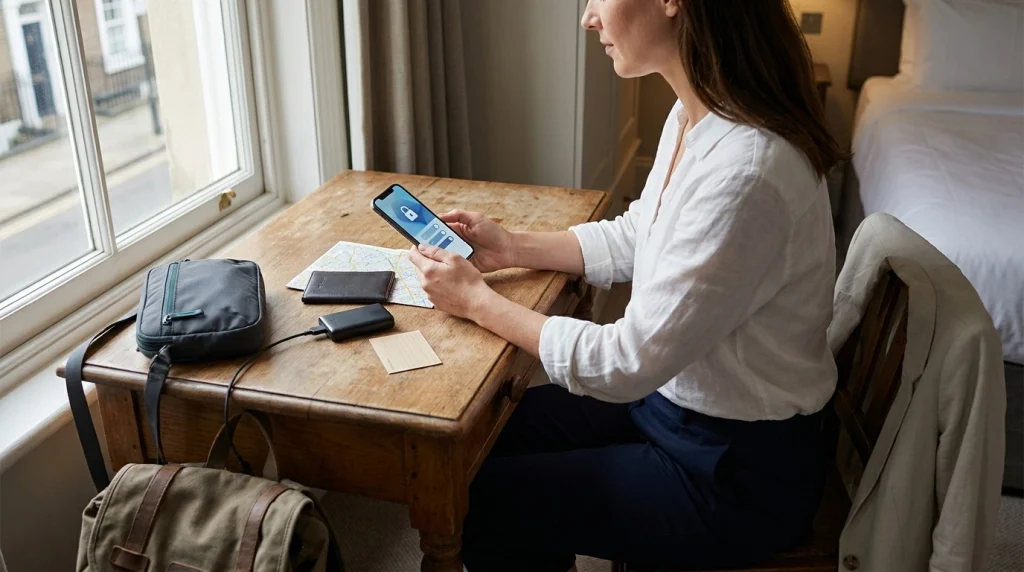
Secure your phone before leaving your accommodation. A strong passcode, updated software, theft protection, and a separate backup can limit the harm if someone steals it.
Set a Strong Passcode and Automatic Lock
A screen lock is your first defense against someone accessing your private information. Avoid short, predictable PINs such as birthdays or repeated numbers.
- Use a longer passcode: Choose a strong six-digit or longer PIN, or an alphanumeric password.
- Enable biometrics: Use facial recognition or fingerprint unlocking when appropriate.
- Shorten auto-lock: Set your screen to lock after a short period of inactivity.
- Hide sensitive previews: Prevent verification codes and private messages from appearing on a locked screen.
- Protect sensitive apps: Enable extra authentication for banking, email, and password-manager apps.
Be careful when entering your passcode in public. Someone standing nearby may see more than you expect.
Activate Phone Theft Protection
Modern smartphones offer security features designed for lost or stolen devices. Configure them while you still have your phone.
On supported iPhones, Apple’s Stolen Device Protection adds security requirements for sensitive account and device changes.
Many Android phones offer features such as Theft Detection Lock, Offline Device Lock, and Remote Lock. Google explains compatibility and setup in its Android theft protection guide.
- For iPhone: Enable Find My and check Stolen Device Protection under your passcode settings.
- For Android: Check Settings, Google, All services, and Theft protection where supported.
- For both: Test account recovery and confirm you can access your device-finding service from another device.
These tools cannot prevent every theft. Their purpose is to reduce unauthorized access and support recovery.
Back Up Essential Travel Information
Imagine arriving at a train station and discovering your phone is missing. You still need a way to find your accommodation and contact someone.
I recommend preparing a small recovery kit before leaving your hotel.
- Write down your accommodation’s address and telephone number.
- Keep emergency contact details outside your phone.
- Back up important travel documents in a secure location.
- Save offline maps for areas where mobile service might fail.
- Store account recovery codes securely, separate from your device.
- Carry a backup payment method somewhere different from your phone.
This also helps when your battery dies or your mobile network stops working. Phone safety is about maintaining options.
Section Takeaway: Prepare your security settings and backup access before entering busy public places. The best recovery plan starts before anything goes missing.
What Is the Safest Way to Carry a Phone in Public?
A zipped crossbody bag worn close to the front of your body is one practical way to protect your phone. The best storage option is one you can secure and access without exposing other valuables.
Choose a Secure Bag or Pocket
I prefer keeping my phone in a dedicated compartment instead of dropping it into an open tote. That makes it easier to check its location without searching through everything.
A secure carry method should reduce accidental drops and make unnoticed access harder.
| Carrying Method | Main Advantage | Main Concern | Best Use |
|---|---|---|---|
| Zipped crossbody bag | Stays close to the body | Strap and zipper quality vary | Sightseeing and commuting |
| Secure inside jacket pocket | Quick, discreet access | Loose pockets may allow slipping | Short walks |
| Zipped backpack compartment | Keeps phone out of sight | Harder to monitor behind you | Transit between locations |
| Phone wrist strap or tether | May help prevent accidental drops | Can create snagging risks | Photography in suitable settings |
| Open back pocket | Easy access | Exposed to loss and theft | Best avoided in crowds |
Keep Your Phone Close in Crowds
Crowded stations, markets, festivals, and tourist attractions deserve extra attention. People naturally stand closer together, which makes it harder to notice contact with your belongings.
- Move your crossbody bag toward the front when crowds become dense.
- Close your bag immediately after putting your phone away.
- Avoid leaving the phone in an outer backpack pocket.
- Check your belongings discreetly after unexpected crowding or distractions.
- Keep your hands free when handling tickets, luggage, or payments.
Try not to check your phone repeatedly to reassure yourself that it is still there. A quick touch through the bag is often enough.
Should You Use an Anti-Theft Phone Strap?
A phone strap can help prevent accidental drops. However, a strap is not a guarantee against theft or snatching.
A strong pull could also drag your hand or wrist into an unsafe position. Avoid attaching a phone to your body in a way that could cause injury.
For crowded streets, secure storage is usually a better first line of protection.
Section Takeaway: A closed, easy-to-monitor compartment is generally safer than an exposed pocket. Prioritize personal safety over any accessory designed to hold onto a phone.
How Can You Use Your Phone Safely on Streets and Public Transport?
Use your phone deliberately, not continuously, when moving through unfamiliar areas. Stop in a safer position before reading maps, replying to messages, or checking transportation details.
Check Directions Away From Moving Traffic
Navigation is one of the biggest reasons solo travelers take out their phones. It can also distract you from your surroundings.
Before starting a walk, I recommend reviewing the main route and identifying one or two useful landmarks. That reduces the need to hold your screen in front of you.
- Step inside a shop or another suitable public place when you need detailed directions.
- Keep some distance from the road edge while using your phone.
- Avoid holding your phone toward passing motorcycles or vehicles.
- Download offline maps before entering unfamiliar neighborhoods.
- Check whether your route includes isolated streets or poorly lit passages.
The shortest walking route is not always your safest option. A slightly longer route through active, well-lit streets may be preferable.
Keep Your Phone Secure on Buses and Trains
Public transportation can be distracting because you are watching stops, handling tickets, and moving around other passengers. Build a routine before boarding.
- Open your ticket or route information before entering the busiest area.
- Keep your bag closed while standing near train or bus doors.
- Avoid placing your phone on an empty seat beside you.
- Stay alert when someone creates an unexpected distraction.
- Put the phone away before navigating stairs, escalators, or crowded exits.
You can still use your phone when necessary. The goal is to avoid becoming absorbed in the screen when your surroundings need attention.
Be Careful at Cafés, Restaurants, and Tourist Attractions
A phone resting on a café table is easy to forget. It may also be easier for someone to take during a distraction.
I recommend keeping it in your closed bag when eating, ordering, or paying. Never leave it unattended while visiting a restroom or counter.
For photographs, choose a stable place where you are not blocking traffic. Put your phone away before walking to your next stop.
Protect Your Privacy When Traveling Alone
Phone safety also involves the information visible on your screen. A stranger does not need to steal your device to notice your hotel address or personal messages.
- Do not display your hotel room number or access codes openly.
- Keep detailed travel plans out of public social media posts.
- Consider posting location-specific photographs after leaving the area.
- Use headphones carefully so you can still hear important surroundings.
- Avoid showing boarding passes or documents containing personal information unnecessarily.
Pro tip: Before visiting an unfamiliar destination, check the destination-specific advice on official U.S. travel advisories or your own government’s equivalent.
Section Takeaway: Check directions from a safer position, keep the phone secured between uses, and avoid exposing sensitive travel details. Awareness matters more than constant vigilance.
How Can You Protect Personal Information on Your Phone?
Protect your digital accounts as carefully as the device itself. A stolen phone can become a larger problem if someone gains access to email, payment apps, passwords, or travel bookings.
Be Cautious With Public Wi-Fi
Airport, café, and hotel Wi-Fi can be convenient, but unfamiliar networks require care. A network name that looks legitimate does not prove it belongs to the venue.
- Confirm the network name with staff when possible.
- Prefer trusted mobile data for sensitive activity.
- Keep your phone’s operating system and browser updated.
- Avoid installing certificates, profiles, or apps requested by unexpected login pages.
- Disable automatic joining of unfamiliar networks.
- Use encrypted websites and reputable apps.
A reputable VPN can offer an additional layer of protection in some situations. It does not make suspicious websites or fraudulent networks automatically safe.
Secure Email, Banking, and Travel Apps
Your main email account deserves special attention because it may control password resets for other services. Protect it with strong authentication.
Google’s Safety Center explains useful account and device security practices.
- Use unique passwords for important accounts.
- Enable multifactor authentication, preferably with phishing-resistant methods when available.
- Keep account recovery details current.
- Use a reputable password manager instead of storing passwords in plain-text notes.
- Enable additional verification for payment and banking apps.
- Remove apps and permissions you no longer need.
Limit Location Sharing
Location sharing can help a trusted person know you are safe. It should still be something you control.
Review which apps can access your precise location and whether they need that permission all the time.
- Share live location only with people you trust.
- Check who can see your location through messaging and social apps.
- Disable unnecessary location permissions.
- Avoid publicly sharing the location of your accommodation in real time.
Privacy and safety can support each other. Share enough information for a useful emergency plan without broadcasting every movement.
Section Takeaway: Lock down your primary email, financial accounts, and recovery options. Even if your phone disappears, your personal information should remain difficult to access.
What Should You Do if Your Phone Is Lost or Stolen?
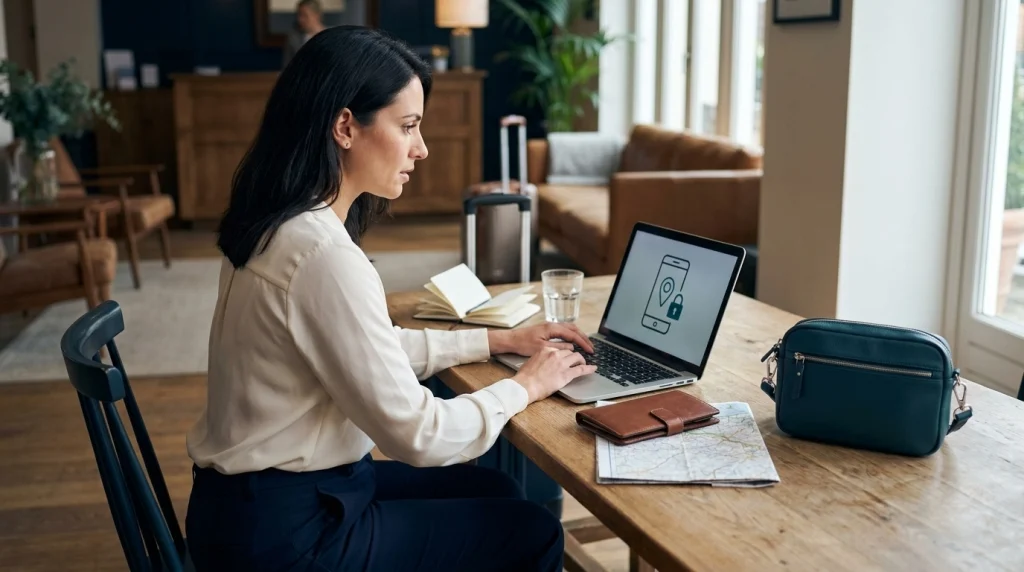
If your phone disappears, move somewhere safe and try to locate or lock it using another device. Then protect your accounts, contact your mobile carrier, and report suspected theft.
Step 1: Put Your Personal Safety First
Do not chase someone who takes your phone or confront a suspected thief. Your physical safety matters more than recovering the device.
Move into a staffed business, hotel, police station, or another suitable public place. Ask for assistance if you need to contact someone.
If you can locate the device remotely, never attempt to retrieve it from a suspicious location yourself. Share relevant information with local police instead.
Step 2: Lock Your Phone Remotely
Remote locking can help prevent unauthorized access. Use another trusted device and the appropriate official service.
- iPhone: Visit iCloud Find Devices and mark your device as lost.
- Android: Open Google’s Find Hub service to locate, secure, or erase a supported device.
- Both: Follow the manufacturer’s instructions before deciding whether to erase the device remotely.
Remote features depend on device settings, connectivity, and other conditions. Some actions may become available when the device reconnects.
Be cautious of messages claiming someone found your phone. Never enter your account password into an unfamiliar recovery link.
Step 3: Protect Your Accounts and Phone Number
Once you have secured the device, check your most important accounts. Start with email and financial services because they can affect everything else.
- Contact your mobile carrier to suspend the SIM or eSIM and ask about replacement options.
- Review your main email account and change credentials if compromise is suspected.
- Check banking and payment apps for unauthorized activity.
- Revoke suspicious sessions and update account recovery methods.
- Contact your travel insurer if your policy may cover the loss.
- Report suspected theft to local police and request a report number.
If you use your phone to receive verification codes, mention that to your carrier. Losing access to your number can complicate account recovery.
Step 4: Restore Your Travel Essentials
Once your accounts are secure, focus on continuing your journey safely. You may need accommodation details, transportation bookings, and emergency contacts immediately.
A paper note, secure backup, or prepared second device can make this much easier. I recommend having at least one way to reach your accommodation without your primary phone.
Section Takeaway: Get somewhere safe, secure your device remotely, contact your carrier, and protect your accounts. Never put yourself in danger to recover a phone.
What Is a Simple Daily Phone Safety Checklist?
A daily phone safety routine should take only a few minutes. I prefer a simple check before sightseeing rather than trying to remember every precaution while walking through an unfamiliar city.
Before Leaving Your Accommodation
- Charge your phone and check your available battery capacity.
- Confirm your screen lock and theft protection remain enabled.
- Download maps or directions needed for the day.
- Save your accommodation address somewhere accessible offline.
- Place your phone in a zipped compartment.
- Check that your backup payment method and essential contact details are available.
While Exploring
- Check directions from suitable stopping points.
- Keep your phone away from open bag compartments and exposed pockets.
- Stay aware of traffic and unexpected distractions.
- Close your bag after every phone use.
- Watch your belongings near transit doors and crowded attractions.
Before Returning at Night
- Check your route and transportation options.
- Make sure your phone has enough battery for the return journey.
- Confirm a trusted person has your expected return details when appropriate.
- Keep your accommodation address available without opening several apps.
- Choose a suitable, well-lit place if you must stop to check directions.
A small portable charger may be useful on long travel days. However, charging equipment is only a backup, not a substitute for planning.
The habit I value most is keeping my phone available without making it visible all the time. You should be able to navigate confidently without constantly checking the screen.
Frequently Asked Questions
Should a woman keep her phone in her pocket or bag?
A closed crossbody bag or secure inner pocket is generally preferable to an open back pocket. Choose a compartment that stays close to your body and is difficult for another person to access unnoticed, especially on public transportation or in crowded tourist areas.
Are phone lanyards safe for women traveling alone?
Phone lanyards can help prevent accidental drops, but they are not guaranteed theft protection. A strap can also snag or pull your body during a forceful snatching attempt. Avoid configurations that could trap your wrist or prevent you from releasing the phone safely.
How can I use Google Maps safely while walking alone?
Review your route before starting, download offline maps, and stop in a suitable public place when detailed navigation is necessary. Avoid holding your phone loosely near moving traffic. Check the route’s surroundings rather than assuming the shortest path is the safest.
Can someone access my banking apps if my phone is stolen?
That depends on your device security, account settings, and whether the thief can unlock the phone. Strong passcodes, biometric verification, and app-specific authentication reduce risk. If your phone is stolen, secure it remotely and contact your bank if unauthorized access is possible.
Should I carry a second phone when traveling alone?
A backup phone can be useful during international travel or longer independent trips, especially when navigation and communication depend on one device. Keep the second phone secured separately and prepare it for essential functions. It is helpful but not necessary for every journey.
Is public Wi-Fi safe for solo female travelers?
Public Wi-Fi varies in security. Prefer trusted mobile data for sensitive activity and verify network names before connecting. Keep your device updated, use encrypted services, and avoid unexpected login requests. Do not assume that a familiar-looking network name guarantees a secure connection.
What is the first thing I should do if someone steals my phone?
Move to safety and avoid confronting the thief. Use another device to activate remote locking or lost mode, then contact your mobile carrier and protect important accounts. Report the theft to local authorities and arrange access to your essential travel information.
Final Takeaway: Protect Your Phone Without Losing Your Freedom
Knowing how to protect your phone in public can make solo travel feel more manageable. You do not need to hide your device constantly or avoid exploring unfamiliar places.
Start with three habits: secure storage, careful phone use, and strong digital protection. Then prepare a backup plan so one missing device cannot disrupt your entire journey.
Your phone is a useful travel tool, but your safety comes first. Build simple routines that help you stay connected, confident, and aware of your surroundings.
Before your next solo adventure, review your phone’s security settings and practice accessing your emergency information without it. A little preparation can make an unexpected problem much easier to handle.