
How to Convert Normal Speaker to Smart Speaker Easily at Home
Convert your normal speaker into a smart speaker at home with easy, step-by-step instructions. This guide shows you how to add voice assistant features to your existing speakers using affordable and simple smart devices. Enjoy hands-free control and smart functionality without buying a new smart speaker.
Key Takeaways
- Smart conversion is affordable: You don’t need to buy an entirely new speaker to enjoy smart features.
- Use smart assistants: Devices like Amazon Echo Dot or Google Nest Mini can add voice control to regular speakers.
- Wireless connectivity is key: Bluetooth or auxiliary connections help link normal speakers to smart devices.
- Simple setup process: Basic knowledge of apps and device pairing is enough to get started.
- Customizable options: Choose the smart device that best suits your ecosystem and preferences.
- Troubleshooting is easy: Common issues like connectivity or voice command errors can be fixed with simple tips.
- Enhance your audio experience: Smart speakers offer hands-free control, streaming, and smart home integration.
How to Convert Normal Speaker to Smart Speaker Easily at Home
If you have a great set of normal speakers but want the convenience of a smart speaker, you don’t need to buy a new device. You can convert your regular speaker into a smart speaker easily at home. This guide will walk you through the simple steps to add smart assistant features like Amazon Alexa or Google Assistant to your existing speakers. By the end, you’ll enjoy voice control, streaming music, and smart home commands through your old speaker system.
What You Will Learn
We’ll cover the devices you need, how to connect them, and ways to troubleshoot common problems. Whether your speaker has Bluetooth or only a wired connection, you’ll find options to upgrade it. We’ll also share practical tips to get the best sound and smart experience.
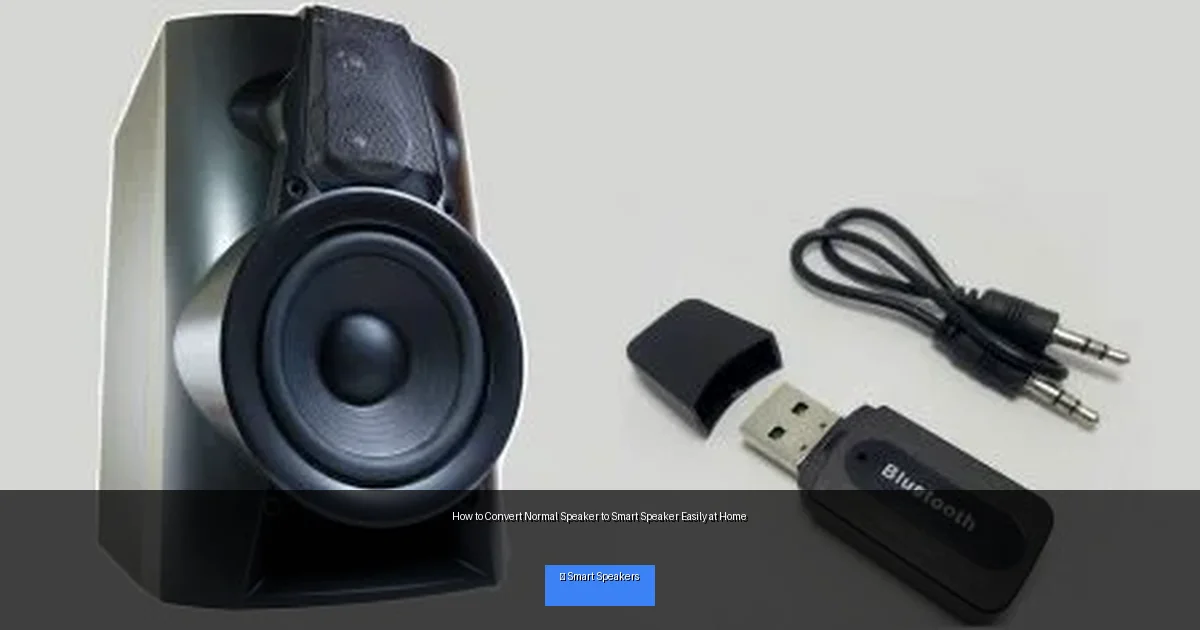
Visual guide about How to Convert Normal Speaker to Smart Speaker Easily at Home
Image source: howstereo.com
Step 1: Identify Your Speaker’s Connection Type
Check for Bluetooth Capability
First, see if your normal speaker supports Bluetooth. This makes connecting to a smart device much easier. Look for a Bluetooth logo or check the manual. If yes, you can pair it directly with a smart assistant device that supports Bluetooth output.
Use Auxiliary or RCA Inputs
If your speaker doesn’t have Bluetooth, check if it has an auxiliary (3.5mm jack) or RCA inputs. Most traditional speakers have these. You will need a smart assistant device that offers audio output through these ports or use a Bluetooth adapter.
Step 2: Choose the Right Smart Assistant Device
Popular Smart Devices
- Amazon Echo Dot: Compact, affordable, and great Alexa integration.
- Google Nest Mini: Works well with Google Assistant and Android devices.
- Apple HomePod Mini: Best for Apple ecosystem users.
Choose one that fits your home ecosystem and budget. These smart speakers can connect to your normal speaker either wirelessly or through cables.
Consider a Bluetooth Audio Receiver
If your speaker lacks Bluetooth, a Bluetooth audio receiver can be plugged into the aux or RCA input. This receiver pairs with your smart assistant device and streams audio wirelessly to your speaker.
Step 3: Connect Your Smart Device to the Speaker
Using Bluetooth Connection
- Turn on Bluetooth on your smart device and speaker (if supported).
- Put the speaker in pairing mode.
- Use the smart device’s app (Alexa or Google Home) to find and pair with the speaker.
Using Auxiliary or RCA Cable
- Plug one end of the 3.5mm aux or RCA cable into the smart device’s audio out port.
- Connect the other end to your speaker’s aux or RCA input.
- Set the speaker to the correct input mode.
Using a Bluetooth Audio Receiver
- Plug the Bluetooth receiver into your speaker’s aux or RCA input.
- Pair the receiver with your smart device via Bluetooth.
- Ensure your smart device outputs audio to the receiver.
Step 4: Set Up the Smart Assistant App
Download the App
Download the Alexa app, Google Home app, or Apple Home app on your smartphone or tablet.
Create or Log into Your Account
Follow the prompts to set up your account and add your smart device.
Configure Your Device
- Connect the smart assistant device to your Wi-Fi network.
- Set preferences such as language, voice recognition, and default music services.
- Test voice commands to make sure the device is responding properly.
Step 5: Test Voice Commands and Streaming
Try simple voice commands such as “Play music,” “What’s the weather?” or “Turn on the lights” if you have smart home devices connected. Check the audio quality coming from your speaker to ensure it’s clear and loud enough.
Practical Tips for Better Experience
- Place your smart assistant device centrally: It needs to hear your voice clearly.
- Use good quality cables: Avoid cheap aux cables for better sound.
- Keep devices updated: Update firmware and apps regularly.
- Customize wake words: Many assistants allow you to change the wake word for convenience.
- Integrate smart home devices: Connect lights, thermostats, or plugs for full smart home control.
Troubleshooting Common Issues
Smart Device Not Pairing with Speaker
Ensure Bluetooth is enabled on both devices. Restart both the smart assistant and speaker. Try unpairing and pairing again. Check that the speaker is in pairing mode if using Bluetooth.
Audio is Distorted or Low Volume
Check cable connections for damage or loose plugs. Increase volume on both the smart device and the speaker. Try different cables or inputs to isolate the problem.
Voice Commands Not Responding
Make sure the microphone on the smart device isn’t muted. Reduce background noise. Reboot the smart device and verify Wi-Fi connection.
Conclusion
Converting a normal speaker to a smart speaker at home is a simple, cost-effective way to enjoy the latest smart technology. With a compatible smart assistant device and basic connections, you can bring voice control and streaming to your existing audio system. Follow these steps, use practical tips, and troubleshoot as needed. Soon, your old speaker will feel brand new with modern smart features!

